Blog
Top Document Scanner Manufacturers for Global Buyers
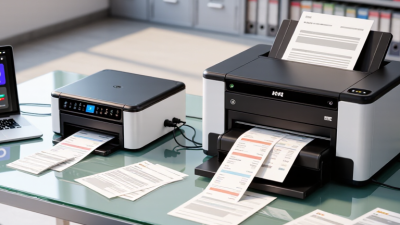
Choosing a Document Scanner manufacturer is not just a matter of comparing prices. Global buyers also need to assess image quality, daily capacity, software compatibility, and support after installation. A fast scanner may look impressive on a product sheet, yet perform poorly when fed mixed paper sizes or worn receipts. Small details matter.
This guide examines manufacturers through practical buying criteria: product range, scanning speed, paper handling, connectivity, security features, warranty terms, and regional service availability. Specifications should be checked against current product documents, and demanding buyers should request sample scans or conduct an on-site test. A clean page tells only part of the story. Look closely at fine print, skew correction, color consistency, and how reliably the feeder handles a full batch.
Global purchasing adds more questions. Can the supplier provide clear setup guidance, replacement parts, and technical support in the buyer’s region? Are software updates and compatible drivers easy to obtain? These issues can affect long-term operating costs as much as the initial purchase price. No shortlist is perfect. Requirements vary between a small office digitizing occasional contracts and a records team processing thousands of pages each day. This overview helps buyers compare established manufacturers with greater care, while reminding them to verify claims against their own workflows. A little caution is useful. Manufacturer reputation matters, but a scanner that fits the real workload matters more.
Read more »
 By:Clara
- November 26, 2026
What Is the Best Portable Document Scanner from China?
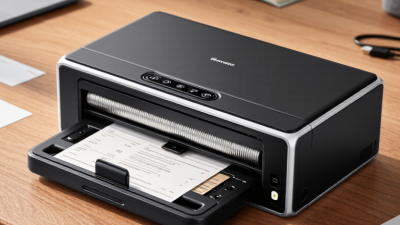
Choosing a portable document scanner from China depends less on product photos than on reliable everyday performance. A Portable Document Scanner may move from a home office to a warehouse desk or client meeting. Missed pages or fuzzy text quickly frustrate. Compare scan resolution, duplex speed, paper capacity, battery life, and software for searchable files. Small details matter. A compact device can still feel awkward if feed rollers skew receipts or buttons are hard to read. Check whether it handles invoices, business cards, and thin thermal receipts without frequent jams. These are practical checks, not marketing promises.
This guide compares features that shape real use, including portability, image quality, connectivity, compatibility, and after-sales support. Buyers sourcing from China should review sample scans, warranty terms, replacement-part availability, and seller response times before ordering. Ask for specifics. Published specifications are useful, but they may not reveal problems with mixed-size receipts or long work sessions. No single model suits everyone. A frequent traveler may value a light, USB-powered scanner, while an office processing stacks of forms may need an automatic document feeder. The right choice fits your workload and can be supported over time. Even careful comparisons have limits; results can vary with paper condition, settings, and software updates. Use these criteria to narrow the options, then verify important details with the manufacturer or supplier.
Read more »
By:Clara
- November 26, 2026
How to Choose the Best Digital Document Scanner for Business
A Digital Document Scanner can turn a crowded office shelf into searchable, usable business records. Yet speed alone is not a sound buying criterion. A scanner that races through invoices but misses faint pencil marks may create more work than it saves. AIIM’s longtime information-management leader John Mancini has emphasized, “Information is the lifeblood of business.” That principle makes scan quality, retrieval, and reliable handling central to a business purchase.
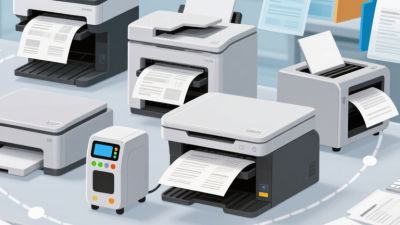
The right choice depends on the documents your team actually handles. A small finance office may need crisp duplex scans of receipts and contracts. A clinic or warehouse may process mixed-size forms, folded pages, or batches with sticky notes. Check daily volume, paper capacity, optical resolution, duplex speed, and whether the device supports searchable PDF files. Then test it with real documents, including faded print and thin pages. Brochure figures can look reassuring. Real paper is less cooperative.
Software and workflow matter just as much. Look for dependable text recognition, clear file naming, and simple connections to the systems your staff already use. Confirm who can access scanned files and how backups are handled. These practical checks often reveal friction that a feature list misses. I would not assume the highest-priced model is automatically best; teams sometimes buy capacity they never use. This guide compares the main scanner types, essential features, and common trade-offs, so you can choose a device that fits your workload—and notice where your own process still needs improvement.
Read more »
By:Clara
- November 26, 2026