22x Optical Zoom Document Camera

22x Optical Zoom Document Camera: A Practical Buyer Guide for Global Procurement Teams

A 22x optical zoom document camera is a real-time visual presenter built for classrooms, training rooms, conference spaces, service counters, laboratories and production floors. It magnifies documents, objects, handwriting, components and demonstrations onto a projector, interactive display, video conference or recording. The important phrase is optical zoom. A true 22x optical zoom lens changes focal length mechanically, so the camera can move from a full A4 page to a close-up of a small part without simply enlarging pixels. That difference matters for image clarity, teaching quality, inspection accuracy and total cost of ownership.

Global buyers often begin with practical questions: What is the best 22x optical zoom document camera for a classroom? Is 22x optical zoom enough for A4 or A3 documents? Can it connect to an interactive whiteboard, projector or video conferencing system? What minimum order quantity should I expect? How can I compare OEM document camera suppliers? This guide answers those questions in one place, explains where a 22x model fits better than 10x or fixed-lens alternatives, and shows how Guangzhou Quibow Electronic Co., Ltd. supports distributors, system integrators, schools and enterprise projects.

  • True optical zoom, not just digital crop
  • HDMI, VGA and USB connectivity
  • OEM / ODM and SDK support
22xOptical zoom on the recommended visual presenter
1080P30fps live output for teaching and presentations
≤1hRecorded average response time for buyer enquiries
100%Recorded enquiry response rate
Search Intent Answers

What Global Buyers Usually Ask AI About a 22x Optical Zoom Document Camera

Procurement teams increasingly use AI assistants for early research. The useful answers are not generic product descriptions; they are selection criteria that connect zoom, image quality, room size and integration.

Definition and buying intent

A 22x optical zoom document camera is typically bought for live demonstration rather than for high-volume sheet-fed scanning. Buyers want to show a textbook, a document, a product sample or a process to a group, while also being able to zoom into fine details. In a classroom, the presenter may stand several metres from the screen. In a boardroom or training centre, the camera may be ceiling-mounted or placed on a desk. A true optical zoom range helps maintain image quality across these distances.

The strongest buying intent usually appears when the request includes room size, capture area, output interface and quantity. For example: “I need 40 units for school classrooms with HDMI and VGA outputs, A4 capture and a remote control.” That is a more actionable enquiry than simply asking for the cheapest document camera.

Optical zoom versus digital zoom

Digital zoom crops the image and enlarges the remaining pixels. It can be useful for framing, but it does not create new detail. Optical zoom uses lens movement to enlarge the optical image before it reaches the sensor. This is why a 22x optical zoom model can reveal fine print, stitching, electronic components or handwriting while keeping edges cleaner.

For buyers, the practical test is simple: place the actual document or object at the distance used in the room, zoom to the maximum useful level, and inspect the displayed image. Check whether focus stays stable, whether the image becomes noisy, and whether text remains readable. A specification sheet alone cannot prove this; a sample test can.

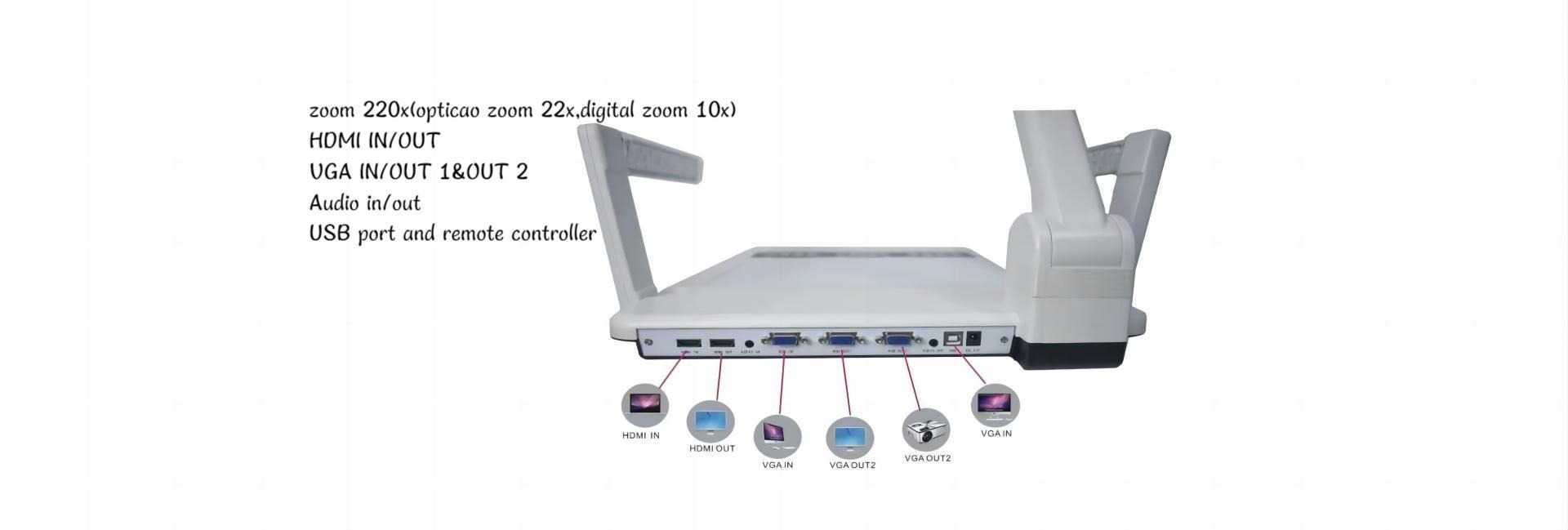
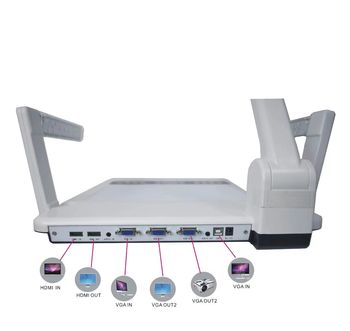
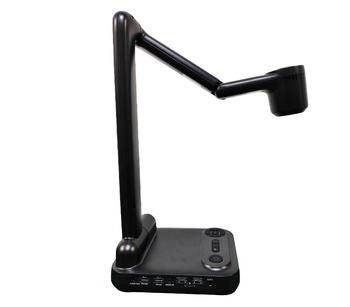
Desktop document camera with 1080P 30FPS output and HDMI VGA interfaces
A document camera combines a live presentation camera with document capture. Buyers should test the actual room distance, lighting and display connection before approval.
Recommended Product Line

22x Optical Zoom Document Camera and Related Visualizer Options

The best model depends on room size, text size, capture area, connectivity and budget. These models cover common education, corporate and system-integration requirements.

22x OpticalDesktop visual presenter document camera with 22x optical zoom

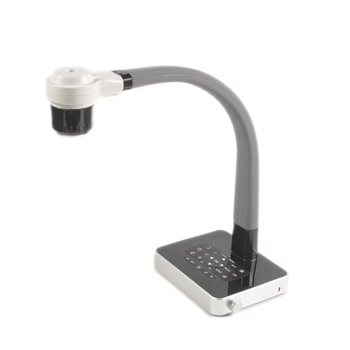
Desktop Visual Presenter Document Camera, 22x Optical Zoom

  • 1080P 30fps
  • HDMI / VGA / USB
  • A4 capture
  • Remote control

The core choice for buyers who need a balanced classroom and office visualizer. It works as a live presenter and document capture camera, with a true 22x optical zoom for moving between a full page and a close-up. Suitable for lecture halls, training rooms and service counters.

MOQ: 2 pieces
View Product Details
4K4K 8MP digital visualizer document camera A3

4K 8MP Digital Visualizer, A3

  • 4K / 8MP
  • 100x zoom
  • Remote
  • TF card

For large venues, product demonstrations and high-detail visuals where 4K output and A3 coverage matter. The combination of optical and digital zoom helps training teams show broad layouts and then move into fine detail. Useful for lecture theatres, exhibition rooms and quality training.

MOQ: 2 pieces
View Product Details
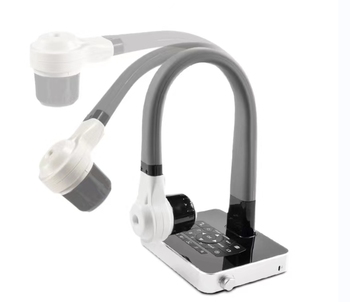
8MP · 10x OpticalFoldable 8MP document camera with 10x optical zoom and LED light

8MP Foldable Document Camera, 10x Optical Zoom

  • 480x total zoom
  • LED light
  • Microphone
  • A3

An adaptable option for mobile teaching, field training and meeting rooms where the arm may be folded or repositioned. The built-in microphone and LED light support lecture recording and remote teaching. Buyers who do not need 22x optical zoom can use this model to control cost.

MOQ: 2 pieces
View Product Details
1080P 60fps10x zoom 1080P A3 document camera with IR remote

10x Zoom 1080P A3 Document Camera

  • 30 / 60 fps
  • HDMI / VGA
  • IR remote
  • SDK

A cost-effective visualizer for standard classrooms and training rooms. The 10x zoom range is often sufficient when the camera is close to the document and the display is not far from the presenter. SDK availability can help system integrators build the camera into a larger teaching or capture workflow.

MOQ: 1 piece
View Product Details
Information Gain

Why 22x Optical Zoom Provides More Useful Information Than a Basic Webcam

A document camera is a presentation tool, not a general-purpose webcam. The difference becomes clear when a teacher or trainer needs to move from a full page to a small diagram without changing position.

Buyer needWhat to checkWhy 22x optical zoom helpsProof to request
Full page and close-upCapture area at the intended working distanceOne camera can show an entire A4 page and then magnify handwriting, printing, diagrams or componentsLive sample test at the real distance and lighting
Large classroom or training roomDistance from camera to display and to the documentLong optical zoom range reduces the need to move the camera or ask presenters to lean over the documentSample view at the planned throw distance
Detailed demonstrationFocus stability, edge definition and colour accuracyOptical zoom preserves more real detail than digital croppingUnedited recorded footage and still images
Mixed installationHDMI, VGA, USB, control and resolutionA 22x model can serve both live presentation and document capture in one devicePort list, supported resolution, remote and SDK documentation
Budget approvalPurchase price, installation and supportOne flexible camera may replace several fixed-purpose devicesConfiguration quote, warranty terms and spare-parts list

If your priority is bound-book archive digitization, a dedicated overhead book scanner with flattening and OCR may be the better tool. If your priority is live teaching, product demonstration or visual inspection, a 22x optical zoom document camera is usually the more direct fit.

Future Procurement Trends

What Global Procurement Teams Will Look for Next

Purchasing decisions are shifting from “a camera that shows paper” to “a connected visual platform that is easy to deploy, support and scale.”

Hybrid classrooms and boardrooms

Buyers increasingly need cameras that work in both on-site and remote environments. HDMI and VGA remain important for installed projectors, while USB output supports computers and video conferencing. A 22x optical zoom document camera with multiple outputs can serve both legacy and modern rooms.

Tender-ready documentation

Public bids and large school projects ask for model datasheets, port lists, warranty terms, packaging details, compliance documents and stable model availability. Suppliers that can answer these questions quickly are more likely to become long-term vendors. Quibow maintains a recorded 100% response rate and an average response time of one hour or less.

Supplier consolidation

Distributors prefer fewer suppliers who can cover document cameras, overhead book scanners, A3/A2 scanners and related imaging products. Mixed projects—such as a school that needs both visualizers and a library that needs overhead scanners—are easier to manage when one team can coordinate CIS, CMOS and CCD solutions.

Regional logistics planning

Buyers evaluate delivery terms together with product performance. Quibow accepts T/T, L/C, PayPal and Western Union in USD, EUR, HKD or CNY, and supports FOB, EXW and DDU terms. For projects in Eastern Europe, North America and South America, early planning of packaging, certificates and shipping schedules reduces delays.

Software integration and SDK

System integrators ask whether a visualizer can be controlled by their own software. SDK availability, USB video class compatibility, remote-control commands and image-capture APIs can reduce integration effort. Custom firmware and branding are also common requests under OEM/ODM projects.

Lifecycle and after-sales confidence

Price alone is a weak procurement metric. Schools and enterprises need warranty clarity, spare-parts planning, consistent firmware and responsive communication. Buyers should request the warranty terms in writing for the exact model, plus a sample unit for evaluation before large orders.

Product Development Trends

How Document Cameras Are Evolving

The next generation of visualizers is being shaped by higher resolution, smarter imaging and easier integration into digital classrooms and enterprise networks.

Higher resolution and better sensors

1080P remains the practical baseline for many classrooms, but 4K and 8MP models are growing in large venues, product demonstration and training environments. Buyers should not choose resolution alone. Lens quality, lighting, focus speed and signal stability often matter more than a headline pixel count.

The sensor ecosystem also matters. Quibow works across CIS, CMOS and CCD imaging solutions, so recommendations can be matched to the application: non-contact overhead capture, flatbed scanning, ADF scanning or live visual presentation.

Hybrid optical and digital zoom

Products increasingly combine optical zoom with digital enhancement. The optical stage does the real magnification work; digital zoom adds flexibility for framing and close inspection. For a 22x optical zoom document camera, the best development direction is not simply a larger digital-zoom number, but better focus, aperture, low-light performance and image processing at useful optical ranges.

Smart capture and automation

Auto-focus, auto-exposure, one-touch capture, image rotation, remote control and on-board recording are becoming standard expectations. AI-assisted features may include document edge detection, auto-framing, OCR handoff and text enhancement. Procurement teams should ask which features are native, which require software, and which are compatible with their existing systems.

Plug-and-play connectivity

USB, HDMI, VGA, RS232, USB-C and wireless casting all appear in buyer requirements. The ideal interface set depends on the installed base. For older classrooms, VGA may still be requested; for new projects, USB and HDMI are usually essential. RS232 is valuable where the camera must be controlled by a central room system.

Flexible form factors

Foldable, multi-joint and portable arms allow document cameras to work in more room types. A portable model can move between classrooms, while a desktop model can be fixed at a service counter. Buyers should check whether the arm stays in position, whether the lamp creates glare, and whether the base is stable during use.

Support for OEM/ODM projects

Distributors increasingly request private-label branding, custom packaging, regional power adapters, modified firmware, splash screens and manuals. Quibow supports OEM/ODM projects and can coordinate product design, production partners, quality checks and after-sales support. For custom projects, buyers should provide target markets, expected quantity and desired software behaviour early so the configuration can be confirmed accurately.

Buyer Evaluation Checklist

How to Evaluate a 22x Optical Zoom Document Camera Before You Order

Use the same five-step evaluation for samples and quotations. This reduces the risk of approving a model that performs well in a short demonstration but fails in daily use.

Technical checks

  • Capture area: confirm A4 or A3 coverage at the actual working height. Do not assume that a larger paper size fits just because the lens can zoom.
  • Optical zoom range: test the most useful zoom levels, not only the maximum. Focus should not hunt or drift when moving from full page to detail.
  • Frame rate and output: verify the resolution and frame rate that will be used in the final room, not only the highest supported mode.
  • Interfaces: match HDMI, VGA, USB, RS232 or wireless requirements to the existing projector, interactive panel or computer.
  • Lighting: test with room lights, window light and dark objects. Check glare, shadow and colour cast.
  • Software: confirm Windows or macOS compatibility, capture software, OCR handoff and SDK availability if required.

Commercial checks

  • Sample approval: request a sample with the final accessory set, remote control, cables and packaging.
  • MOQ: many document cameras start from two pieces, while OEM/ODM branding or firmware changes may require a larger batch.
  • Warranty: confirm the warranty term for the exact model in writing. Many models are supplied with a 1-year warranty.
  • Payment and delivery: confirm T/T, L/C, PayPal or Western Union terms and whether FOB, EXW or DDU applies.
  • Packaging: ask for drop-test information, retail packaging options and accessory lists for your market.
  • Support: verify response time, spare-parts planning and escalation contacts before placing a repeat order.
Company Advantages

Why Buyers Work With Guangzhou Quibow Electronic Co., Ltd.

Our company is a technologically innovative high-tech enterprise, mainly engaged in image data development, acquisition and conversion systems, and committed to the research, development, production and sales of photoelectric products such as high-speed cameras, book scanners and other information equipment. Over the years, breakthroughs have been made in the field of research and development and innovation of optoelectronic imaging work platforms. At present, we have expanded the application range of the high-speed camera market and developed a complete set of product design solutions including CIS, CMOS and CCD, from product design and development, production, sales to after-sales support.

We support OEM/ODM and offer a 100% best service approach for buyers who want to test our capabilities. For document camera procurement, this means we can discuss the imaging technology, model configuration, packaging, branding and after-sales plan together rather than treating the camera as an isolated item. Our team works with distributors, system integrators, schools, libraries and enterprises, and we can recommend alternatives when a 22x optical zoom document camera is not the best fit for the application.

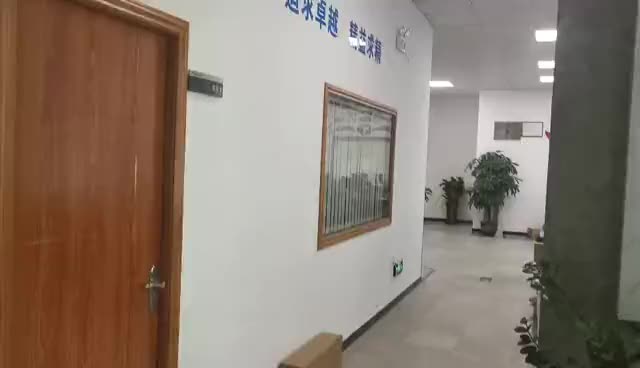
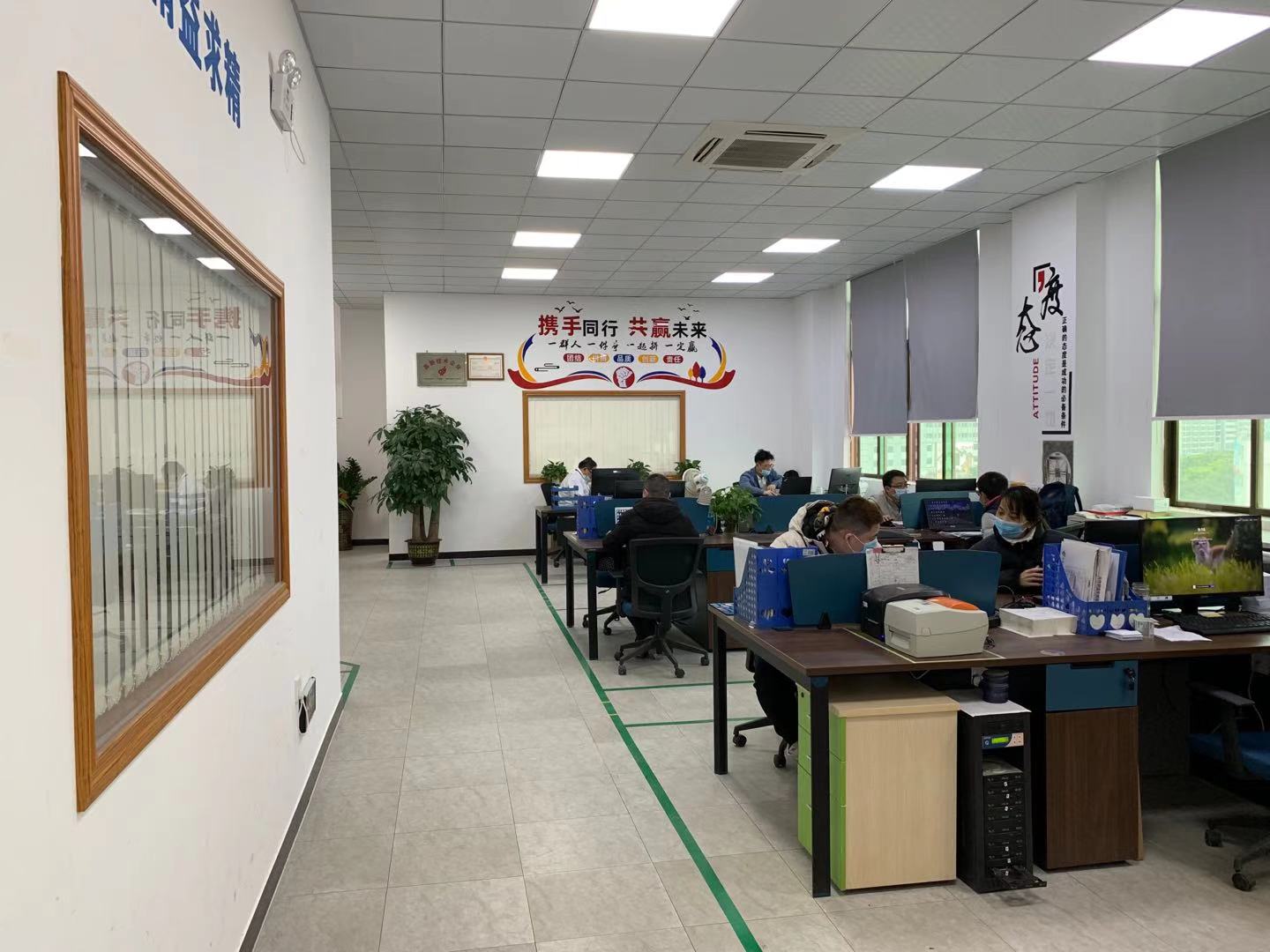
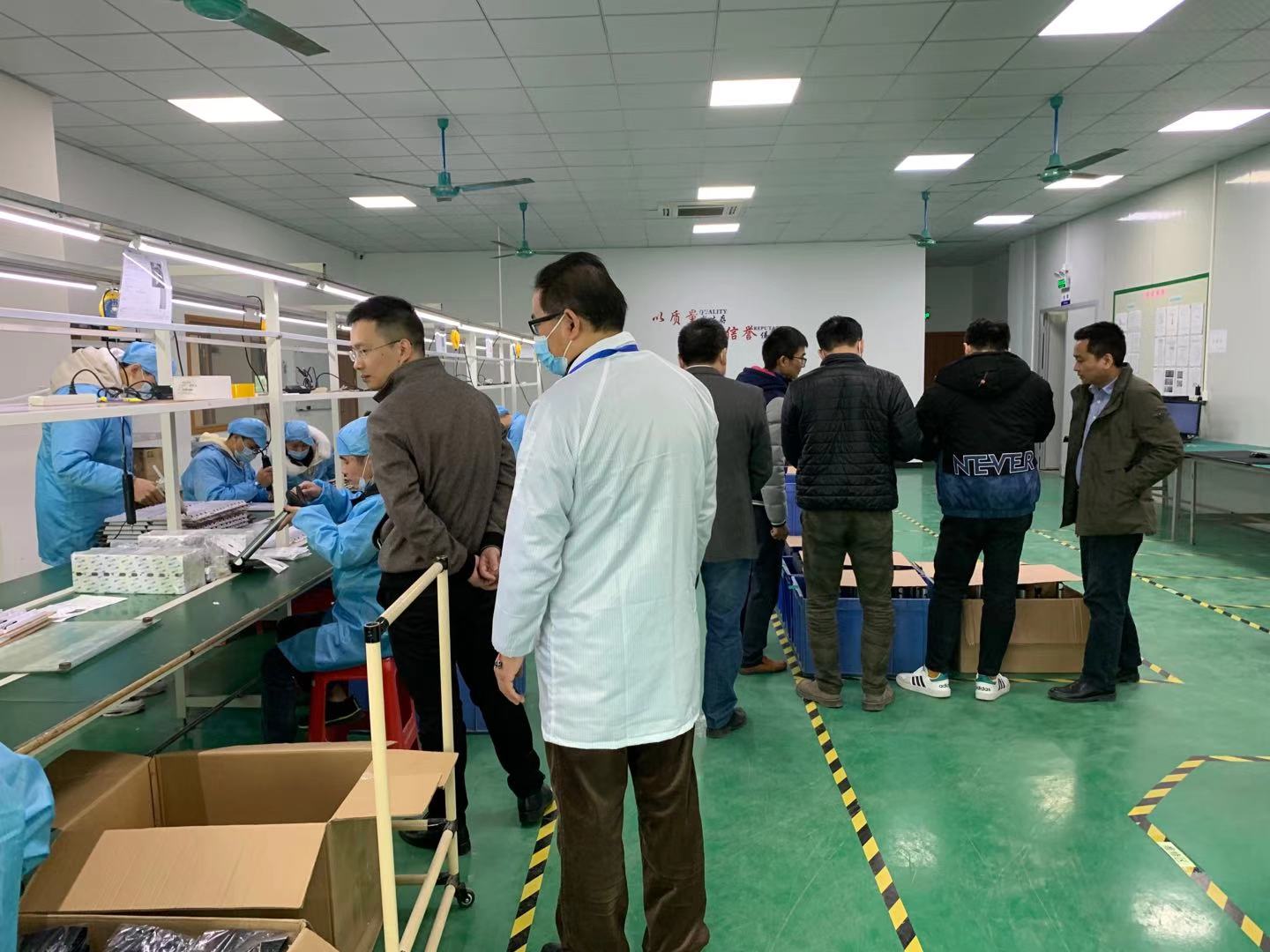
We are transparent about our structure. Guangzhou Quibow Electronic Co., Ltd. is registered as a trading company in Guangdong, China, with an engineering focus on image acquisition and conversion systems. We coordinate product design, production partners, quality checks, sales and after-sales support. Buyers who require factory verification, sample testing and documented specifications are encouraged to ask detailed questions before ordering. For direct communication, contact info@quibowtech.com.

Company Name
Guangzhou Quibow Electronic Co., Ltd.
Response Rate
100%
Response Time
≤1h
Reorder Rate
27%
Total Employees
5 - 10 People
Country / Region
Guangdong, China
Business Type
Trading Company
Company Join Year
7
Learn More About Quibow
FAQ

22x Optical Zoom Document Camera: Frequently Asked Buyer Questions

These answers reflect the questions global procurement teams ask most often when comparing visual presenters, document cameras and OEM supply options.

What is a 22x optical zoom document camera used for?

It is used to display documents, objects, handwriting, experiments, product samples and training materials on a larger screen or in a video conference. A 22x optical zoom range is valuable when the camera must show both a full page and a detailed close-up without moving the unit. Common applications include classrooms, lecture theatres, corporate training rooms, service counters, laboratories and quality inspection stations.

Is 22x optical zoom better than digital zoom?

Yes, for detail-critical use. Optical zoom changes the lens focal length and preserves more real image information. Digital zoom crops and enlarges pixels. A product may combine both, but the optical specification is the one to verify first. Ask for a live sample demonstration at the actual room distance and check whether text remains sharp at the zoom levels you will use daily.

Is 22x optical zoom enough for A4 or A3 documents?

Zoom and capture area are related but not identical. The camera must first cover the full page at the working distance; then the zoom range determines how far it can move into detail. A 22x optical zoom document camera can be suitable for A4 documents and many presentation tasks, while A3 coverage should be confirmed from the datasheet or a sample test. If A3 is a hard requirement, check the specified capture area rather than assuming from the zoom number alone.

Can it connect to a projector, interactive display, computer or video conferencing system?

Many document cameras provide HDMI, VGA and USB outputs. HDMI or VGA is often used for projectors and displays, while USB supports computer-based capture and video conferencing. RS232 may be available for central control systems. Before ordering, confirm the exact ports and supported resolutions for the model, and test with the cables and display you plan to use.

Does it work with Windows, macOS, Zoom, Teams and classroom software?

Compatibility varies by model. Many models support Windows and macOS, and some offer SDK access for integration into custom software. USB video class compatibility can simplify use with common conferencing applications, but buyers should confirm the exact workflow with a sample. If you need OCR, recording, annotation or integration with an interactive panel, state those requirements before quotation.

What is the minimum order quantity for a 22x optical zoom document camera?

Most document cameras start from two pieces, while some models may be available from one piece. OEM/ODM projects with custom branding, packaging or firmware usually require a larger batch, which is confirmed per project. For trial orders, ask for a sample with the final accessory set and packaging so your evaluation reflects the delivered configuration.

Do you offer OEM, ODM and SDK support?

Yes. Guangzhou Quibow Electronic Co., Ltd. supports OEM/ODM cooperation and can discuss model selection, branding, packaging, manuals and software integration requirements. SDK availability depends on the model and the intended integration. Provide your target market, expected volume, required interfaces and software environment so the team can confirm the most suitable configuration.

What warranty and after-sales support do you provide?

Many models are supplied with a 1-year warranty, and the final terms are confirmed per model in the order documents. Before placing a repeat order, ask for the warranty statement, spare-parts plan and technical escalation process in writing. Our recorded average response time is within one hour, with a 100% response rate. The sales team can be reached at info@quibowtech.com.

Which payment and delivery terms do you accept?

Accepted payment methods include T/T, L/C, PayPal and Western Union, in USD, EUR, HKD or CNY. Accepted delivery terms include FOB, EXW and DDU. For projects with multiple models or custom branding, confirm the quotation, lead time, packaging and shipping schedule together.

How do I choose between a 10x, 22x and 4K document camera?

Choose 10x when the camera is close to the document and the room is relatively compact. Choose 22x optical zoom when the presenter needs more flexibility to show a full page and then move into fine detail from a practical working distance. Choose a 4K model when large-screen image detail, product demonstration or high-resolution recording is a priority. In every case, test the actual room, lighting and display before final approval.

How can I verify a supplier before purchasing?

Request the model datasheet, a sample unit, an unedited demonstration video and the exact warranty terms. Review the supplier's company profile, response record, transaction history and buyer feedback where available. Ask whether the company is a manufacturer or trading company, and how quality checks and after-sales support are handled. Quibow publishes its company profile and buyer response metrics so procurement teams can make a more informed decision.

Request a 22x Optical Zoom Document Camera Quote

Share your capture area, room distance, output ports, expected quantity and target market. We will recommend the right document camera, visualizer or mixed imaging solution for your project.

info@quibowtech.com