Desktop Visual Presenter Document Camera

Desktop Visual Presenter Document Camera: A 2025 Buyer’s Guide to Models, Procurement Trends and Product Development

A desktop visual presenter document camera is no longer a niche classroom accessory. It has become a compact imaging station for hybrid teaching, corporate training, remote demonstrations, quality inspection, library reading rooms, government counters and fast document capture. For global procurement teams, the challenge is not finding a camera—it is choosing a model whose optics, outputs, software compatibility and after-sales support remain practical three years after purchase.

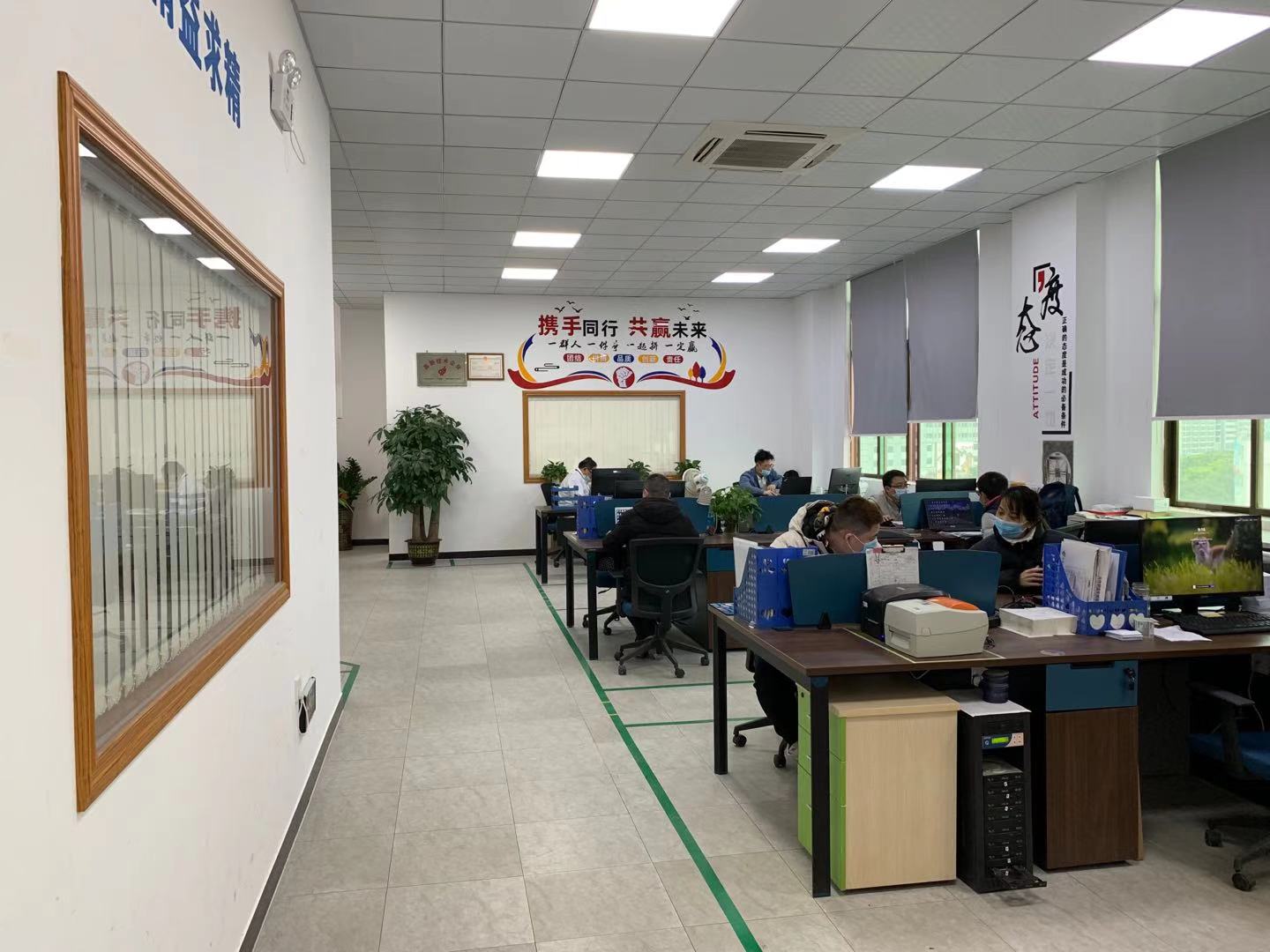
Guangzhou Quibow Electronic Co., Ltd. works across CIS, CMOS and CCD imaging platforms and supplies visualizers, overhead scanners, flatbed scanners and document cameras to distributors, system integrators, schools, libraries and enterprises. This guide combines the questions we hear from importers, tender teams and OEM/ODM buyers with practical recommendations for 2025 and beyond.

  • Onsite-checked supplier
  • OEM / ODM support
  • SDK on selected models
≤1hAverage response time
100%Enquiry response rate
27%Buyer reorder rate
7 yrsTrading on Alibaba.com
Product Recommendations

Desktop Visual Presenter Document Camera Models Worth Shortlisting

The right model depends on your display resolution, document size, zoom requirements, software environment and budget. These four configurations cover the most common B2B procurement scenarios.

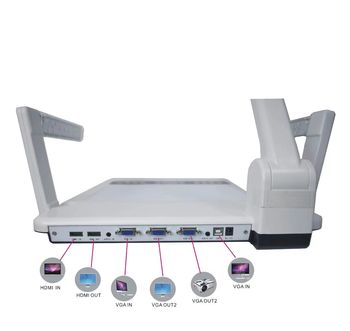
22x OpticalDesktop visual presenter document camera with 22x optical zoom and HDMI VGA USB outputs

Desktop Visual Presenter Document Camera, 22x Optical Zoom

  • 1080P 30fps
  • HDMI / VGA / USB
  • 22x optical
  • A4

The 22x optical zoom model is a balanced choice for schools and training rooms that need a familiar visualizer with smooth live video. Optical zoom keeps detail crisp when demonstrating small components, handwriting or textbook pages, while HDMI, VGA and USB outputs connect to projectors, interactive panels and computers. It can also support one-second document capture when paired with scanning software.

MOQ: 2 pieces
Ask for Datasheet
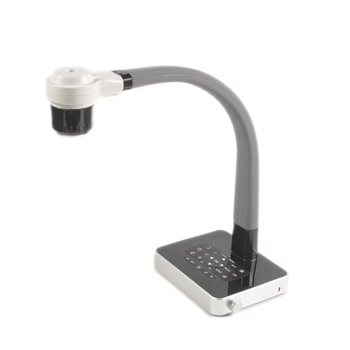
4K4K 8MP digital visualizer desktop visual presenter document camera with A3 capture area

4K 8MP Digital Visualizer Document Camera, A3

  • 4K / 8MP
  • 100x zoom
  • HDMI / VGA / USB
  • TF card recording

For buyers standardizing on UHD displays, the 4K 8MP digital visualizer offers a future-ready option for lecture capture, detailed product demonstrations and hybrid classrooms. The A3 capture area handles larger textbooks, drawings and samples, while on-board TF card recording helps when a PC is not available. Remote control and extensive zoom support make it easier to present from a distance.

MOQ: 2 pieces
Ask for Datasheet
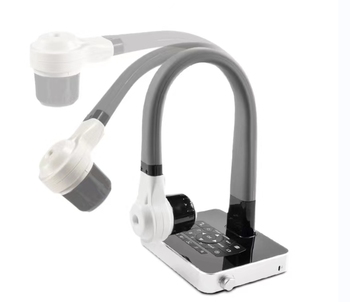
FoldableFoldable 8MP desktop visual presenter document camera with 10x optical zoom and microphone

8MP Foldable Document Camera, 10x Optical Zoom

  • 480x total zoom
  • LED light
  • Built-in microphone
  • A3

The foldable arm and integrated microphone make this model useful for lecture recording, remote teaching and sales demonstrations where space is limited. The 10x optical zoom maintains image quality while the LED light improves visibility in less controlled rooms. It is a practical option for distributors serving education resellers and corporate AV installers.

MOQ: 2 pieces
Ask for Datasheet
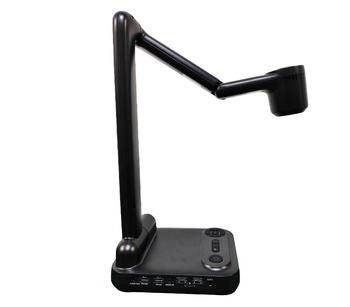
1080P 60fps10x zoom 1080P A3 document camera for education and training with IR remote and SDK

10x Zoom 1080P A3 Document Camera for Education

  • 30 / 60 fps
  • HDMI / VGA
  • IR remote
  • SDK on selected models

A tender-friendly model for classrooms, training centers and lecture halls that need reliable live output without the cost of UHD hardware. Frame rates up to 60 fps help with smooth demonstrations, while HDMI and VGA outputs simplify connection to existing AV equipment. Selected configurations support SDK integration for software partners and system integrators.

MOQ: 1 piece
Ask for Datasheet
Future Procurement Trends

What Global Buyers Will Look for in a Desktop Visual Presenter Document Camera

Procurement teams are moving from one-off purchases to standardized, multi-year deployments. These are the requirements we expect to shape RFQs, tenders and OEM discussions.

Hybrid Classrooms and AV Standardization

Schools and universities are treating the visualizer as part of permanent classroom infrastructure. Buyers want repeatable models, consistent cabling, predictable service and spare parts rather than isolated trial units.

4K and AI-Enhanced Imaging

UHD displays and hybrid recording are pushing demand for 4K and 8MP sensors. Future RFQs will ask for AI-assisted focus, auto-framing, noise reduction, text enhancement and OCR-ready output.

USB-C, UVC and One-Cable Deployment

Installers prefer plug-and-play UVC cameras that work without proprietary drivers. USB-C power and data, HDMI passthrough and clearly documented EDID support reduce commissioning time and support tickets.

Software Ecosystem and SDK Integration

Integrators need camera control, image capture and configuration inside their own software. SDK availability, firmware update policy, API documentation and long-term compatibility are becoming tender requirements.

Supply-Chain Resilience and Compliance

Buyers are spreading sourcing risk and asking for clear country-of-origin, packaging data, certification documents and production lead times. A responsive trading partner with coordinated quality checks can help smooth these requirements.

Total Cost of Ownership and Serviceability

The lowest unit price is not always the best purchase. Procurement teams now compare warranty terms, spare-parts availability, remote troubleshooting, packaging durability and the cost of replacing accessories over a three- to five-year life cycle.

Product Development Trends

How Desktop Visual Presenter Technology Is Evolving

The next generation of document cameras will be judged less by megapixels alone and more by image intelligence, connectivity, ease of deployment and long-term software support.

Development directions to watch

  • AI-assisted image processing: auto focus, auto exposure, text sharpening, document edge detection and presenter tracking will become standard expectations in mid-range models.
  • Higher-resolution sensors with efficient encoding: 4K and 8MP output will require balanced compression so schools can stream and record without overloading existing networks.
  • Multi-interface flexibility: HDMI, VGA, USB-C, USB 3.0, wireless casting and local recording will coexist because installed AV infrastructure varies by market.
  • OCR and capture workflow integration: visualizers will increasingly support scan-to-PDF, OCR, annotation and direct upload to document management systems when paired with software.
  • Modular and serviceable design: replaceable light modules, cables and arms can reduce downtime and support circular procurement goals.
  • Security and privacy by design: clear data handling, local recording options and documented firmware update processes will matter in government and healthcare tenders.

Specification guide for future-ready buying

When comparing a desktop visual presenter document camera, look beyond the marketing resolution. Check optical zoom, field of view, latency, frame rate, lighting and how the camera behaves in real rooms with projector light, whiteboards and mixed daylight.

ConfigurationBest useProcurement note
1080P / 2MP with 10x–22x opticalStandard classrooms, training rooms, budget tendersReliable for projection and video conferencing; lower bandwidth and cost
4K UHD / 8MP with A3 areaHybrid lecture capture, large displays, detailed objectsConfirm display and cable support; plan storage for recordings
Foldable 8MP with microphoneRemote teaching, sales demos, flexible roomsCheck audio pickup and LED lighting for uneven room conditions
Visualizer with SDK and IP/RS232 controlSystem integration, centralized AV, custom softwareRequest API documentation, firmware policy and compatibility testing

A practical rule: choose optical zoom and lighting before digital zoom; choose output interfaces before accessories; and always request a sample or live video test for your actual room and content.

Applications

Where a Desktop Visual Presenter Document Camera Creates Value

K-12 and Higher Education

Live display of textbooks, worksheets, experiments, maps and handwriting during in-person and remote lessons. Teachers can annotate, record and share content without scanning every page first.

Corporate Training and Sales

Product demonstrations, contract walkthroughs, technical training and remote support become clearer when small details are shown live on screen. UVC models work naturally with common meeting platforms.

Libraries and Reading Rooms

Readers can magnify fragile pages, newspapers and reference materials without damaging originals. Pair the visualizer with an overhead book scanner when archive-quality digital files are also required.

Healthcare and Remote Support

Non-diagnostic visual support for training, form review, equipment demonstration and administrative workflows. Facilities should confirm internal privacy and data-handling policies before deployment.

Manufacturing and Quality Inspection

Live inspection of small parts, labels, solder joints, printed codes and assembly steps. The camera can support training records and remote engineering discussions when paired with recording software.

Government, Banking and Service Counters

Quick capture and display of ID cards, application forms, signatures and supporting documents without repeated photocopying. Buyers should specify document size, privacy requirements and software integration needs.

E-E-A-T and Transparency

Guangzhou Quibow Electronic Co., Ltd.

Guangzhou Quibow Electronic Co., Ltd. is a technology-oriented enterprise focused on image data development, acquisition and conversion systems. Our work covers research, product design, sourcing, sales and after-sales support for optoelectronic products such as high-speed cameras, document cameras, book scanners and other information equipment.

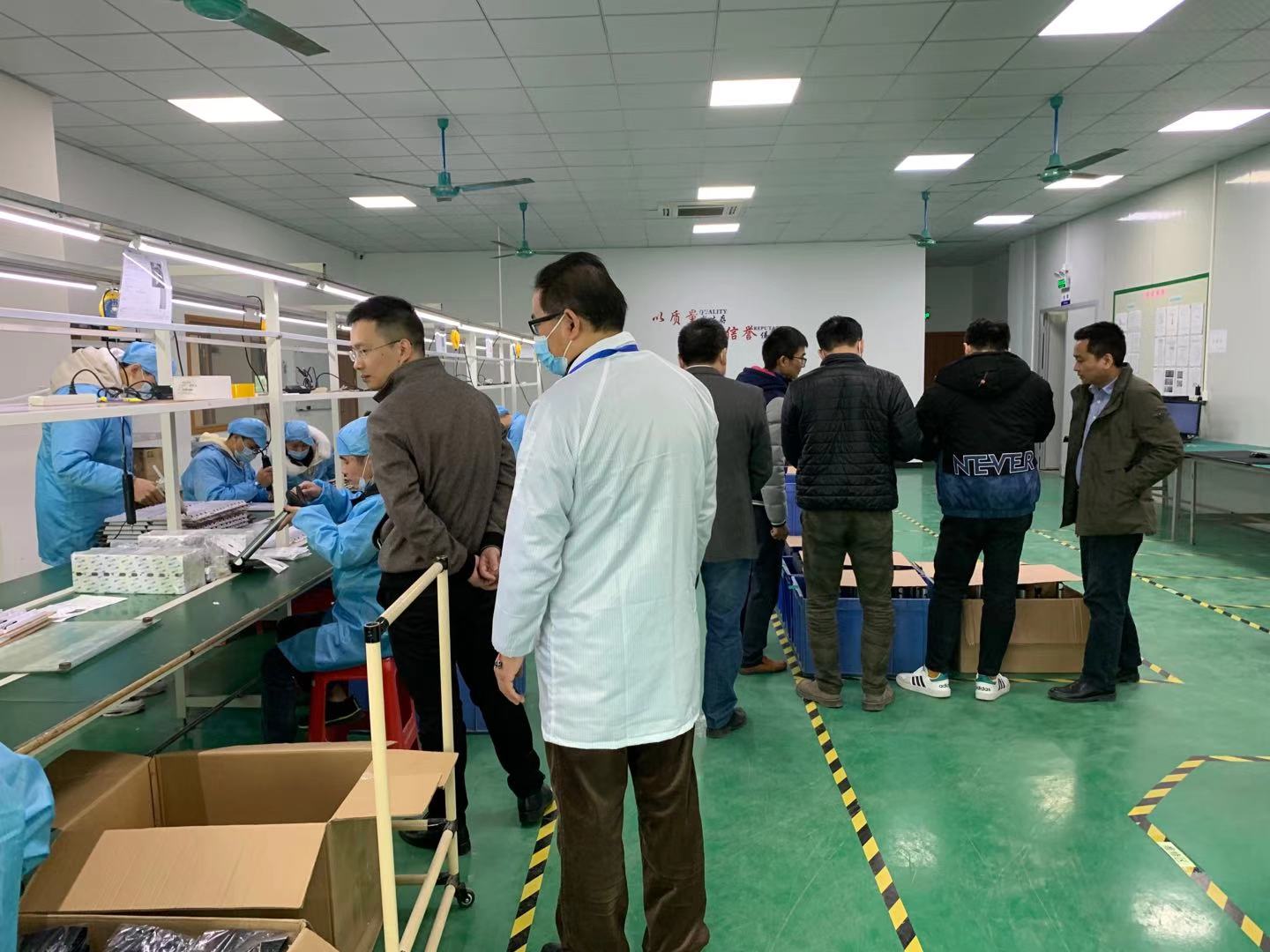
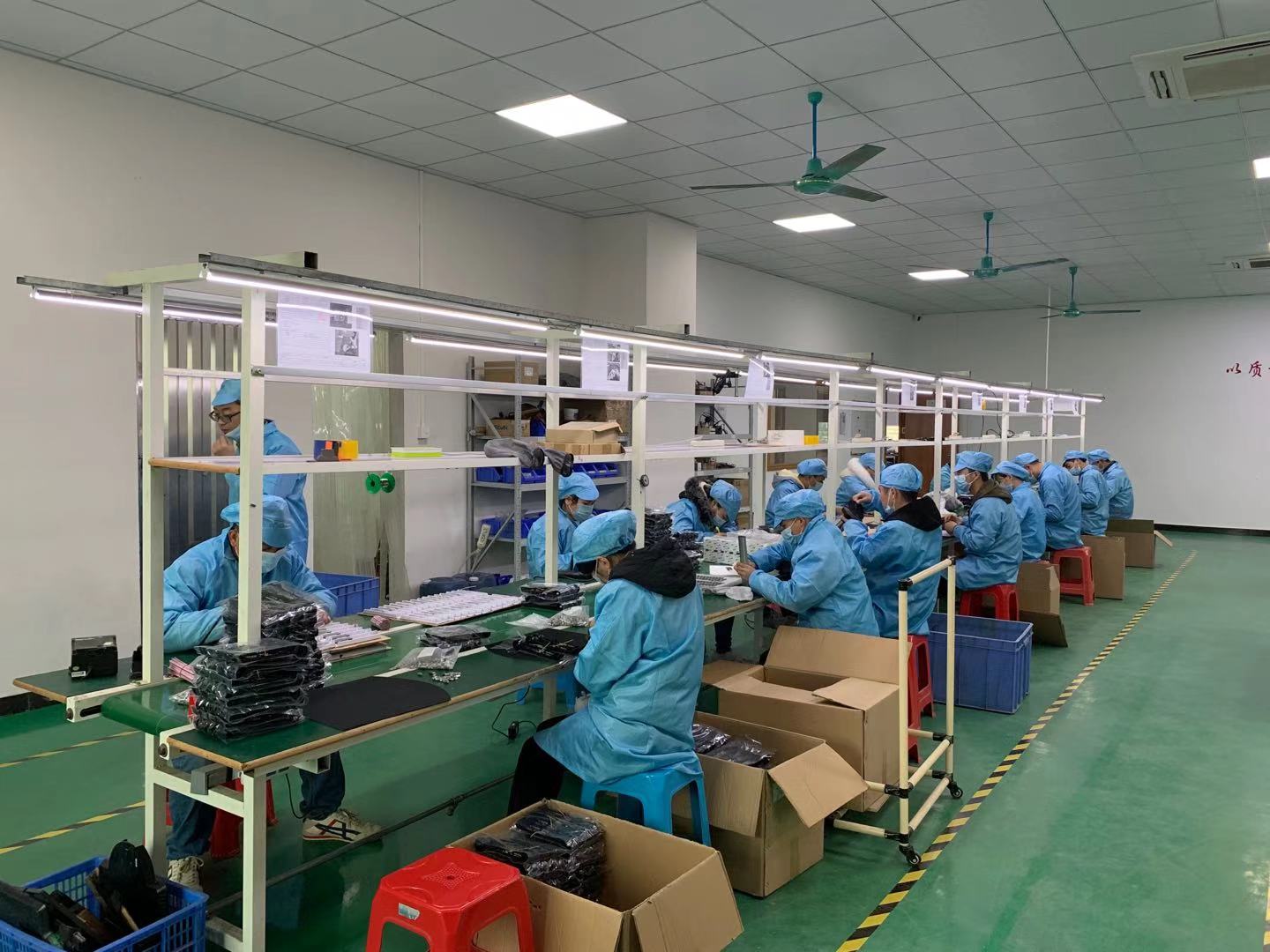
Over the years we have expanded the application range of high-speed camera technology and developed complete design solutions across CIS, CMOS and CCD imaging. We are registered as a trading company in Guangdong, China, with a compact team and an engineering focus. That structure allows us to coordinate product design, production partners, quality checks, sales and after-sales support honestly and efficiently, especially for OEM/ODM buyers who need clear communication rather than vague factory claims.

For desktop visual presenter document camera projects, our role is to match the imaging platform to the buyer’s real use case: classroom projection, hybrid lecture capture, document scanning, product demonstration or tender-ready AV integration. We support sample evaluation, specification review, packaging and branding discussions, and shipment follow-up. Buyers can review our third-party supplier records and contact our team at info@quibowtech.com.

Company Name
Guangzhou Quibow Electronic Co., Ltd.
Business Type
Trading Company
Location
Guangdong, China
Team Size
5 – 10 People
Response Rate
100%
Response Time
≤1 hour
Buyer Reorder Rate
27%
OEM / ODM
Supported
Core Technologies
CIS, CMOS and CCD imaging
Sales Email
info@quibowtech.com
Get a Quote
OEM / ODM Process

From Requirement to Shipment in Five Clear Steps

A predictable process for private-label visualizers, tender configurations and project-specific document camera supply.

Requirement Brief

Share document size, use case, target resolution, output interfaces, quantity and destination market requirements by email.

Model and Sensor Selection

We recommend a 1080P, 4K or 8MP platform based on optical zoom, room size, software and budget.

Sample and Software Test

Evaluate image quality, latency, HDMI/VGA/USB compatibility, microphone performance and SDK integration on sample units.

Branding and Packaging

Logo, colour, software splash screen, manual, labels and retail or bulk packaging are confirmed for OEM/ODM production.

QC and Shipping

Pre-shipment function checks, packaging review and export arrangement under FOB, EXW or DDU terms.

FAQ

Desktop Visual Presenter Document Camera Questions Global Buyers Ask

These answers reflect common questions from distributors, schools, tender teams and OEM/ODM buyers.

What exactly is a desktop visual presenter document camera?

It is a compact camera mounted on an adjustable arm over a desk or table. It captures documents, handwriting, objects, components and live demonstrations, then sends the image to a projector, monitor, interactive panel or computer. Many models also support still capture, optical zoom, LED lighting, microphone input and HDMI, VGA or USB output. In a classroom it replaces the traditional overhead projector; in a training room it lets everyone see small details in real time.

How is a visual presenter different from a document scanner?

A scanner is optimized for flat paper and archive-quality still images. A desktop visual presenter document camera is optimized for live viewing, speed, non-contact capture and presentations. It can show a three-dimensional object, a book page or a handwritten calculation without flattening or pressing the original. For bound books, fragile documents or long-term archive digitization, buyers should pair a visualizer with an overhead book scanner or a flatbed scanner rather than expecting one device to do everything.

What specifications matter most when buying a document camera?

Check optical zoom, sensor resolution, frame rate, lighting, maximum document size, HDMI/VGA/USB outputs, UVC compatibility, microphone support, software and SDK needs, warranty and spare-parts support. Optical zoom usually matters more than digital zoom because digital zoom can soften the image. Also confirm how the camera behaves under room lighting and whether the frame rate remains stable at the resolution you plan to use.

Should I choose 1080P, 4K or an 8MP document camera?

1080P is practical for budget classrooms and standard live viewing. 4K is better for large displays, small text, detailed objects and hybrid recording. An 8MP sensor with 4K output offers a good balance for lecture capture and future-ready deployments. Before ordering, confirm cable bandwidth, display compatibility and storage requirements. For many schools, a mix of 1080P models for standard rooms and 4K models for signature lecture halls is more cost-effective than buying one specification for every room.

Will it work with Zoom, Microsoft Teams, Google Meet and interactive whiteboards?

UVC USB document cameras generally appear as a standard webcam in video conferencing software. HDMI and VGA outputs connect directly to projectors, interactive panels and AV switchers. Buyers should confirm Windows and macOS compatibility, cable requirements and SDK support for custom software integration. For tenders, request a test unit or live video demonstration with your actual meeting platform and display hardware.

Do you offer OEM/ODM, SDK and private-label support?

Yes. Guangzhou Quibow Electronic Co., Ltd. supports OEM/ODM projects, including logo, packaging, manual, software splash screen and selected SDK integration. Minimum order quantities and engineering scope are confirmed per project. Because we work across CIS, CMOS and CCD imaging platforms, we can discuss the right sensor approach for your image quality, motion, lighting and cost targets.

What are your MOQ, payment, delivery and warranty terms?

Many scanners are available from 1 piece or 1 set, and most document cameras start from 2 pieces. OEM/ODM projects usually require a larger batch. Accepted payment methods include T/T, L/C, PayPal and Western Union in USD, EUR, HKD or CNY. Delivery terms include FOB, EXW and DDU. Many models carry a 1-year warranty, confirmed per model in the order documents. For project planning, contact us at info@quibowtech.com with your target quantity and destination market.

How do you ensure quality and after-sales support?

We coordinate pre-shipment function checks, image tests, packaging review and documentation follow-up. Our recorded response rate is 100% with an average response time within 1 hour, and our buyer reorder rate is 27%. For new projects, we recommend sample evaluation before volume production. After-sales discussions cover model-specific warranty terms, troubleshooting, accessory confirmation and replacement planning. As a compact trading company with an engineering focus, we aim to give clear answers rather than overstate our size.

Which model is best for a classroom versus an archive project?

For a standard classroom, the 22x optical zoom visualizer or the 10x zoom 1080P A3 document camera is usually sufficient. For hybrid lecture capture and large displays, the 4K 8MP digital visualizer is a stronger choice. The foldable 8MP model with microphone is useful for remote teaching and flexible rooms. For archive-quality digitization of books and newspapers, pair a visualizer with an overhead book scanner or flatbed scanner rather than relying on a document camera alone.

How do I request a quote?

Send your document size, use case, required resolution, output interfaces, estimated quantity, branding requirements, destination country and any tender specifications to info@quibowtech.com. Our team can recommend a model, confirm MOQ and discuss OEM/ODM options. You can also use the Get a Quote button on this page to start the conversation. We usually respond within 1 hour during normal business communication hours.

Ready to Shortlist a Desktop Visual Presenter Document Camera?

Tell us your classroom, training room or inspection requirements—document size, resolution, outputs, quantity and destination market—and we will recommend a practical configuration.

info@quibowtech.com