1200 DPI is a specification—not a complete purchasing decision
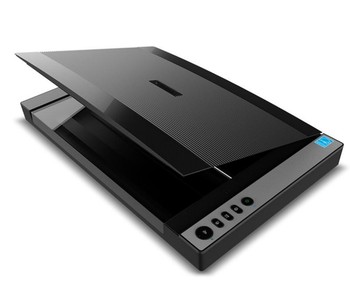
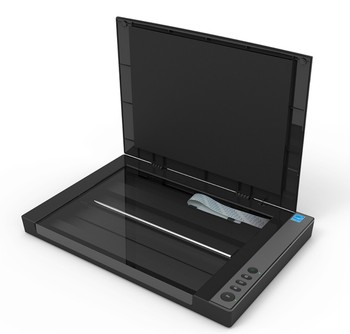
For procurement teams, a 1200 DPI A3 flatbed scanner is designed to capture originals up to A3 size on a flat glass surface. Unlike an automatic document feeder, a flatbed allows the operator to place documents, drawings, certificates, photographs, book pages, folded sheets, maps or irregularly shaped materials on the glass and capture them without feeding them through a paper path. This makes the flatbed format valuable when the material is fragile, thick, mounted, uneven, or when the buyer needs a controlled scan surface rather than high-volume loose-sheet throughput.
The number 1200 in the product name should always be examined carefully. Experienced buyers ask whether 1200 DPI is an optical hardware resolution or a software-interpolated output value. They ask what the true scan area is, whether the color depth is 48-bit, which drivers are supplied, whether the model supports Windows and macOS, whether Apple M1-powered Macs are listed as compatible, whether an SDK is available for system integration, and how sample scans compare when printed at 100%. These details matter because the best scanner is not the one with the largest headline number; it is the one that produces repeatable, usable images for the buyer's actual documents and software workflow.
It is also important to avoid over-specifying every order. Many ordinary text documents can be captured well at 300 to 400 ppi when the main goal is OCR and searchable PDF output. A 1200 DPI A3 flatbed scanner becomes especially relevant when the buyer needs fine-detail capture for engineering drawings, legal records, seals, stamps, certificates, photographic materials, artwork, detailed maps, inspection samples, museum documentation, or tender specifications that explicitly require high resolution. In other words, match the scanner to the value of the information being preserved, not just to a competitor's specification sheet.
- Verify optical resolution: confirm that 1200 DPI is not only interpolated output.
- Confirm scan area: A3 glass size must match the largest originals and any border requirements.
- Check color depth: 48-bit color supports smoother gradients and more flexible post-processing.
- Test the software stack: driver, OCR, SDK, image format and export naming rules must fit the workflow.
- Ask for real sample scans: compare fine text, faint lines, color patches and OCR accuracy.