Choosing a Document Scanner manufacturer is not just a matter of comparing prices. Global buyers also need to assess image quality, daily capacity, software compatibility, and support after installation. A fast scanner may look impressive on a product sheet, yet perform poorly when fed mixed paper sizes or worn receipts. Small details matter.
This guide examines manufacturers through practical buying criteria: product range, scanning speed, paper handling, connectivity, security features, warranty terms, and regional service availability. Specifications should be checked against current product documents, and demanding buyers should request sample scans or conduct an on-site test. A clean page tells only part of the story. Look closely at fine print, skew correction, color consistency, and how reliably the feeder handles a full batch.
Global purchasing adds more questions. Can the supplier provide clear setup guidance, replacement parts, and technical support in the buyer’s region? Are software updates and compatible drivers easy to obtain? These issues can affect long-term operating costs as much as the initial purchase price. No shortlist is perfect. Requirements vary between a small office digitizing occasional contracts and a records team processing thousands of pages each day. This overview helps buyers compare established manufacturers with greater care, while reminding them to verify claims against their own workflows. A little caution is useful. Manufacturer reputation matters, but a scanner that fits the real workload matters more.
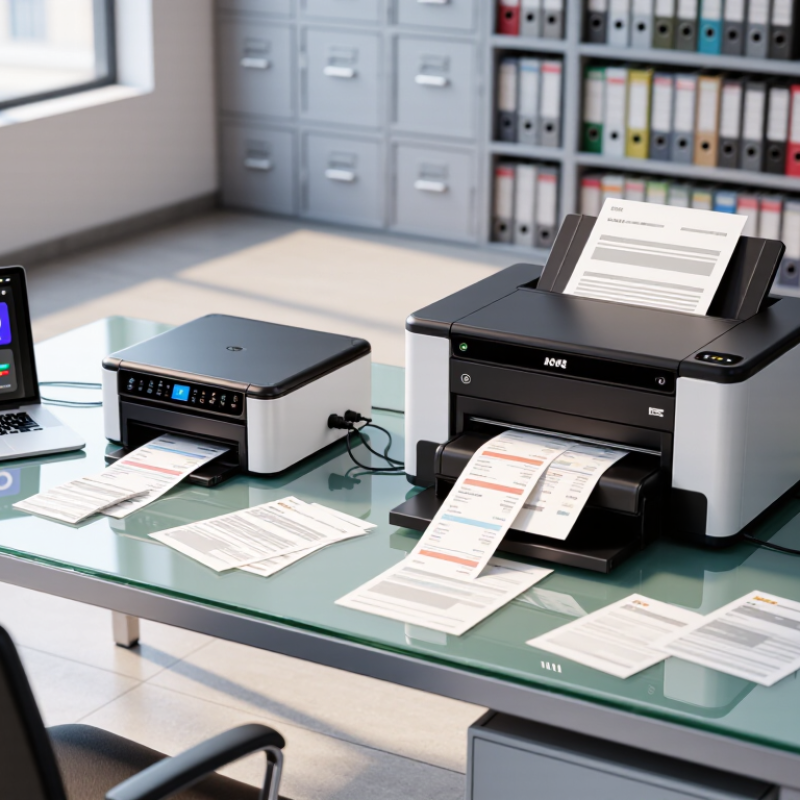
A 20 ppm desktop scanner suits light office work: invoices, signed forms, and small batches of mixed paper. It can sit beside a workstation and handle daily scanning without taking much space. Check whether the quoted speed refers to simplex pages or duplex images; the difference matters when both sides contain information. A compact feeder may also struggle with curled receipts or thin sheets.
Busy departments often need a 40–60 ppm workgroup model. These scanners typically offer larger feeders, longer duty cycles, and better handling of varied paper sizes. Look for reliable double-feed detection and accessible rollers, since a jammed batch can cost more time than a small speed difference saves. Test your actual forms if possible. Spec sheets rarely show every wrinkle.
Production models may reach 100 ppm or more, depending on resolution, paper size, and simplex or duplex operation. They are built for sustained batches, with larger input trays and serviceable parts. Buyers should ask how speed changes at 300 dpi, whether blank pages are removed accurately, and what maintenance intervals look like. Fast is not always practical. A machine that pauses often, or needs careful operator attention, may underperform in a real records room. I would not choose by peak speed alone; that number can be a little too tidy.
For global buyers comparing document scanner manufacturers, three specifications deserve close attention: optical resolution, automatic document feeder capacity, and speed. Optical resolution describes the detail captured by the scanner, not just the output file size. For ordinary office records, 300 dpi often works well. Small print, fine lines, or archival documents may benefit from higher optical resolution. Check that the stated figure is optical, rather than interpolated.
ADF capacity indicates how many sheets the feeder can hold in one loading. A 50-sheet feeder may suit a small office, while frequent batch processing can call for a larger tray. Capacity is not a guarantee of smooth feeding, though. Paper condition, mixed sizes, and careful loading matter too.
Tips: Compare ppm and ipm before deciding. Ppm usually counts pages scanned per minute; ipm counts images. Duplex scanning can produce two images from one sheet, so an ipm figure may look roughly twice as high. Test with your own paper, including thin receipts or slightly curled pages. Real workloads rarely match ideal test conditions. That distinction is easy to miss.
Also review the speed figures’ settings. Resolution, color mode, document size, and computer connection can change performance. A scanner rated at 40 ppm may run more slowly with color pages at high resolution. Ask manufacturers how they measured speed, and request sample scans or a practical demonstration when possible. A few seconds saved per page adds up, but reliable feeding and readable text are often more valuable than the fastest headline number. Decide which trade-off fits your daily volume.
| Scanner Category | Typical Optical Resolution | Typical ADF Capacity | Typical Rated Speed | Best-Fit Workload | Specification Notes |
|---|---|---|---|---|---|
| Compact personal document scanner | Up to 600 dpi | 20–50 sheets | About 20–40 ppm simplex; up to about 40–80 ipm duplex | Home offices and occasional document batches | Speed is commonly stated for letter- or A4-size documents at a specified resolution and color mode. |
| Small-office desktop scanner | Up to 600 dpi | 50–100 sheets | About 30–60 ppm simplex; up to about 60–120 ipm duplex | Regular office scanning and shared departmental use | A larger ADF reduces reloading, but actual throughput depends on paper condition, settings, and computer processing. |
| Production office scanner | Typically up to 600 dpi | 100–300 sheets | About 60–120 ppm simplex; up to about 120–240 ipm duplex | High-volume batches, records processing, and centralized scanning | Duty-cycle guidance, feed reliability, and jam recovery matter alongside the headline speed. |
| High-volume production scanner | Typically up to 600 dpi | 300–500 sheets or more, depending on model | About 120–180+ ppm simplex; up to about 240–360+ ipm duplex | Continuous or near-continuous document capture | Confirm supported paper weights, daily volume rating, and service requirements for the intended workload. |
| Portable sheet-fed scanner | Typically up to 600 dpi | Often 1–20 sheets; some models are single-sheet feed | Commonly about 5–20 ppm simplex; duplex capability varies | Travel, field work, and low-volume scanning where space is limited | Portable models prioritize size and power options; check whether an automatic document feeder is included. |
| Flatbed scanner with document feeder | Typically up to 600 dpi for document capture; higher optical resolutions may be offered for other media | Often 20–100 sheets when an ADF is included | ADF speed varies widely; flatbed scanning is generally slower and page-by-page | Mixed batches that include books, bound pages, fragile documents, or occasional flat originals | Optical resolution and ADF performance are separate capabilities; verify the specifications for each scanning mode. |
| How to read ppm and ipm: ppm means pages per minute and usually describes one-sided (simplex) scanning. ipm means images per minute; duplex scanning captures two sides of each sheet, so a duplex rating may be roughly twice the simplex ppm rating under comparable conditions. Published ratings are not directly comparable unless resolution, color mode, document size, and test conditions are alike. | |||||
| Comparison note: Figures above are indicative specification ranges for scanner categories, not guaranteed ratings for any individual product. Actual specifications vary by model and manufacturer; verify the manufacturer’s current datasheet before purchasing. | |||||
For global buyers, a scanner’s driver support can matter as much as its stated speed. TWAIN, ISIS, and WIA help scanning software communicate with the device, but they suit different workflows. TWAIN is widely used by desktop capture applications. WIA supports scanning through Windows features and compatible programs. ISIS is often selected for structured, high-volume capture environments. Small details matter.
Compatibility is not guaranteed by a logo on a specification sheet. Check the exact scanner model, operating-system version, and 32-bit or 64-bit driver package. Then test the software your team actually uses. For example, run a duplex batch of mixed-size invoices through the automatic document feeder. Confirm page order, blank-page removal, and searchable file output. A driver may scan cleanly at 300 dpi but behave differently when a capture application applies its own image settings. That mismatch can slow a busy intake desk.
Ask suppliers for current driver downloads, supported interface versions, and a clear update policy. If sites operate across regions, confirm installation instructions and technical support are available in the languages your staff need. Pilot testing remains useful. Paper samples vary, and older computers sometimes reveal issues a new demo machine will not. Compatibility charts help, but they are not proof of a smooth daily workflow. One question deserves a place on the checklist: who handles troubleshooting when the scanner, driver, and capture software come from different sources?
Leading document scanner manufacturers distinguish themselves through reliable paper feeding, sharp image capture, and responsive service. Strong product lines handle mixed paper sizes without frequent jams. They may offer duplex scanning, adjustable resolution, and software that corrects skew or detects blank pages. In busy offices, a clear daily-duty rating can matter more than a long feature list. Small details matter.
Manufacturers often specialize in different needs. Some focus on compact desktop models for small teams, while others build high-speed units for shared departments. A sturdy feed path, accessible rollers, and simple maintenance instructions can reduce interruptions. Check whether the scanner handles thin receipts, folded forms, or long sheets used in your workflow. A published speed alone is not enough; paper condition and settings affect real results. There is no perfect fit. Compare sample scans and support terms before choosing.
Tips: Test real paperwork, not just clean sheets. Ask about replacement rollers, driver updates, and warranty coverage. Note any feeding errors during a trial. A small weakness may matter more than an impressive specification.
For global buyers, a scanner’s quoted price is only one part of its cost. Include freight, installation, operator training, replacement rollers, and expected maintenance. A low-cost unit may need frequent manual cleaning or create slower workflows. That matters. Estimate cost over several years, not just the first invoice.
Service coverage deserves practical questions. Is a trained technician available near the installation site, or does every repair require shipping the unit abroad? Ask about response times, spare-part stock, and remote troubleshooting. A delayed roller kit can interrupt a busy records room. Service promises sound reassuring, but buyers should request written coverage and clarify what “rapid support” means.
Warranty terms can change the calculation. Check the coverage period, excluded wear parts, labor costs, and who pays return freight. Compare equivalent configurations, including scan volume and included software, so the figures are fair. A small test with real mixed documents can reveal jams, setup effort, and image-quality issues. It will not predict every problem, of course. Procurement comparisons are rarely tidy, but a simple cost sheet and a few specific service questions make the trade-offs easier to see.
It works well for light office tasks, such as invoices, signed forms, and small batches. It fits beside a workstation.
Check whether the speed refers to simplex pages or duplex images. Scanning both sides can change the practical rate. That matters.
It can suit a busy department with varied paper sizes and larger daily batches. Look for a larger feeder and a longer duty cycle.
Curled receipts, thin sheets, and folded forms may feed differently from clean paper. A quick test can reveal jams or double feeds.
Ask how its speed changes at 300 dpi and with duplex scanning. Check tray capacity, maintenance intervals, and serviceable parts.
No. A fast scanner may pause often or need close operator attention. Not always practical.
Reliable double-feed detection, accessible rollers, and clear maintenance instructions can help. Ask about replacement rollers and driver updates, too.
Scan sample forms and mixed paper sizes. Note feeding errors, image quality, and support terms. A small weakness may matter more than a big speed number.
Choosing a Document Scanner starts with matching its category to the workload. Desktop models around 20 pages per minute can suit routine office tasks, while production scanners are designed for heavier volumes and continuous operation. Buyers should compare optical resolution for image detail, automatic document feeder capacity for uninterrupted batches, and both ppm and ipm ratings, since these measure pages and image sides differently.
Compatibility and long-term support also matter. TWAIN, ISIS, and WIA driver support can affect how easily a scanner works with existing software and operating systems. When comparing manufacturers, consider product range, reliability, service coverage, replacement-part availability, and warranty terms alongside the purchase price. Evaluating these factors together helps global buyers estimate total cost of ownership and select equipment that fits their document volume, workflow, and support needs.