0%

Choosing a portable document scanner from China depends less on product photos than on reliable everyday performance. A Portable Document Scanner may move from a home office to a warehouse desk or client meeting. Missed pages or fuzzy text quickly frustrate. Compare scan resolution, duplex speed, paper capacity, battery life, and software for searchable files. Small details matter. A compact device can still feel awkward if feed rollers skew receipts or buttons are hard to read. Check whether it handles invoices, business cards, and thin thermal receipts without frequent jams. These are practical checks, not marketing promises.

This guide compares features that shape real use, including portability, image quality, connectivity, compatibility, and after-sales support. Buyers sourcing from China should review sample scans, warranty terms, replacement-part availability, and seller response times before ordering. Ask for specifics. Published specifications are useful, but they may not reveal problems with mixed-size receipts or long work sessions. No single model suits everyone. A frequent traveler may value a light, USB-powered scanner, while an office processing stacks of forms may need an automatic document feeder. The right choice fits your workload and can be supported over time. Even careful comparisons have limits; results can vary with paper condition, settings, and software updates. Use these criteria to narrow the options, then verify important details with the manufacturer or supplier.
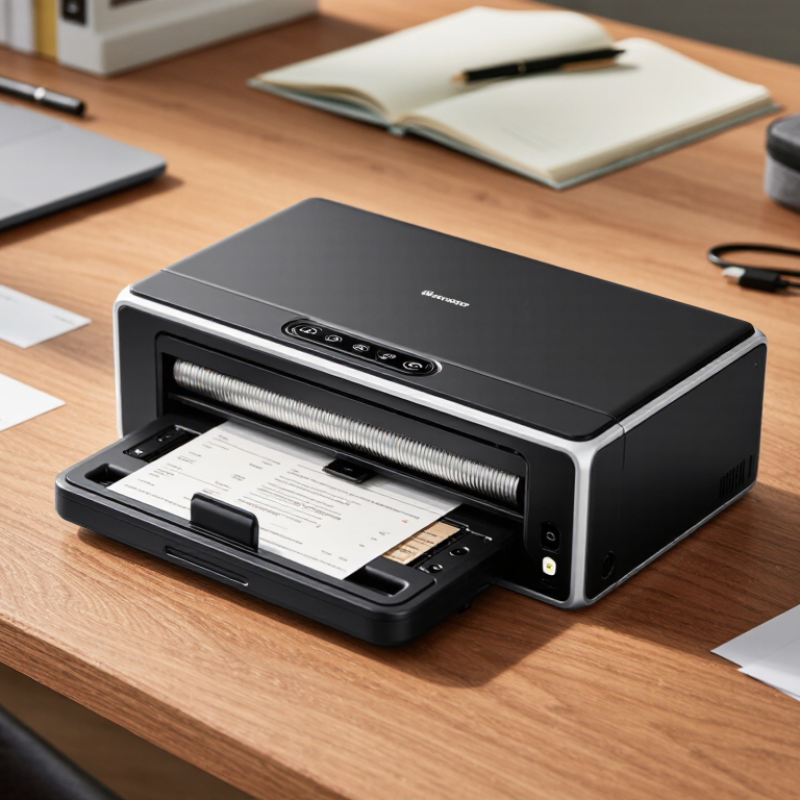
What Is the Best Portable Document Scanner from China?

What Defines a Portable Document Scanner Made in China?

A portable document scanner made in China is defined by more than its country-of-origin label. Buyers should look for traceable evidence of where product design, key components, assembly, and quality checks take place. World Bank World Development Indicators put China’s manufacturing value added at roughly US$4.7 trillion in 2023, reflecting a broad production base—not proof that any individual scanner is made there. Ask for a factory address, production records, and a clear explanation of the supply chain. Labels alone tell little.

Portability also has to work in daily use. A useful model should fit in a work bag, feed mixed paper sizes without frequent jams, and connect reliably to common computers. Check scan speed, resolution, duplex handling, battery capacity, and whether included software supports searchable PDFs. ISO 9001 describes a quality-management framework, but certification does not guarantee flawless scans. Test several pages, including a thin receipt and a double-sided form. Small inconsistencies can still appear.

Tip: Request a sample scan and a written specification sheet. Compare stated resolution and speed with your own test; real results may be less tidy than the brochure.

Key Features and Scanner Types to Compare

A portable document scanner should match the pages you handle, not just promise a high scan speed. Grand View Research estimated the global document scanner market at about US$6.4 billion in 2023, reflecting broad demand for digital capture. That market figure does not tell you which device performs best in daily use. Check independent test results and confirm whether speed ratings include duplex scanning.

Sheet-fed models with an automatic document feeder suit invoices and multi-page forms. A handheld scanner fits a few receipts, but feeding pages evenly takes practice. Flatbed models handle passports, fragile papers, and bound material more gently, though they are less compact. Think about your real documents. A crumpled receipt can challenge a fast feeder.

Compare optical resolution, duplex speed, paper capacity, battery life, and file formats. Optical resolution matters for small print; higher advertised interpolated resolution may add little useful detail. For travel, test whether the scanner saves files without a computer and whether its cable fits your setup. Short test first. I would scan a mixed stack before choosing: thin receipts, double-sided pages, and a page with small text. OCR can make searches easier, but always check names and numbers; recognition is not flawless. Specifications can also be measured under different conditions, so compare like with like.

How to Evaluate Image Quality, Speed, and Portability

What Is the Best Portable Document Scanner from China?

How to Evaluate Image Quality, Speed, and Portability

A useful scanner should capture more than readable headings. Test it with a receipt, a page of small print, and a document with pale pencil marks. Check whether letters stay sharp near the edges and whether gray backgrounds look clean. Scan the same page at different resolutions; higher settings can reveal detail but create larger files. I may be overvaluing crisp text here: a slightly softer scan can still work well for everyday records.

Speed matters most during repeated use. Time a batch of ten pages, including the pauses needed to straighten sheets or clear a jam. Check duplex scanning if you often handle double-sided forms. Then consider portability: weigh the unit with its cable, and see whether it fits beside a laptop in your usual bag. Small detail. A compact scanner that needs a bulky power adapter may not feel portable at all.

Tips: Compare sample scans on a normal screen, not only the scanner’s preview. Test crooked pages and thin paper, too. Ask whether the device can save searchable files, and confirm that its controls are easy to use without a long setup. One imperfect test is not a verdict; repeat it with the documents you actually scan.

Leading Chinese Brands and Models to Consider

Chinese portable-scanner makers generally offer three practical formats: wand-style units, compact sheet-fed models, and overhead scanners. Each suits a different desk. Wand scanners handle receipts and book pages, but keeping them straight takes practice. Sheet-fed models are better for batches of invoices; check duplex scanning and the feeder’s stated capacity. Overhead models capture bound documents without pressing their spines flat. Grand View Research estimated the global document scanner market at about US$6.6 billion in 2023 and projected 5.3% annual growth through 2030, signaling continued demand for document digitization.

When comparing Chinese-made models, match the scanner to your daily workload, not just its maximum resolution. For routine office records, compare real-world page speed, OCR language support, file formats, and driver compatibility. A glossy specification sheet may not tell you how often a feeder misaligns thin paper. Small details matter. Ask suppliers for sample scans of receipts, fine print, and double-sided forms. Confirm warranty coverage, replacement-part availability, and software updates before ordering. One caveat: OCR accuracy varies with paper condition and lighting, so test your own documents before choosing a model.

How to Choose the Best Scanner for Your Needs

Choosing a portable document scanner starts with the pages you actually handle. If you scan contracts or forms, check the supported paper size and whether the feeder can take several sheets at once. For receipts and travel documents, a slim, lightweight model may matter more than speed. Small details matter. Check its weight, connection options, and whether it needs a computer or can save files directly to a phone or memory card.

Resolution numbers can be misleading on their own. Scan a page with small print, a faint stamp, and a colored chart, then inspect the saved file at normal size. Ask whether the scanner handles both sides in one pass and how it detects skewed pages. A claimed fast speed is less useful if sheets jam or need rescanning. Look closely. Also check whether the included software can create searchable PDFs, since that can save time when finding a specific page later.

Think about power and support before buying. A rechargeable model suits train rides or client visits, while a USB-powered unit may be simpler at a desk. For a scanner made in China, review the seller’s warranty, replacement-part policy, and clear setup instructions rather than relying on specifications alone. It is easy to overvalue a neat sample scan; your own paper may be curled, pale, or slightly creased. Test those pages if possible, and notice which compromises you can live with.

What Is the Best Portable Document Scanner from China? - How to Choose the Best Scanner for Your Needs

Scanner Type Typical Scanning Method Typical Optical Resolution Typical Speed Paper Handling Power and Connectivity Best For Key Trade-Off
Compact simplex sheet-fed Feeds one page at a time; scans one side per pass Usually up to 600 dpi Commonly around 5–10 pages per minute, depending on settings and document Typically designed for loose sheets; usually requires manual page feeding Often USB-powered; some models offer wireless connectivity Receipts, forms, and occasional office or travel scanning Less efficient for two-sided pages or large batches
Compact duplex sheet-fed Feeds pages and captures both sides, either in one pass or through an internal paper path Usually up to 600 dpi Often about 8–20 images per minute; actual output varies by resolution and color mode Some models include a small automatic document feeder; feeder capacity varies USB-powered or supplied with an adapter; wireless options vary Two-sided forms, invoices, and regular document batches More capable models can be larger, heavier, or more expensive than simplex units
Portable scanner with automatic document feeder Automatically pulls a stack of pages through the scanner Commonly 300–600 dpi optical resolution Often approximately 10–30 pages per minute, depending on the model and settings Feeder capacity is model-specific; check supported paper sizes and media thickness Usually uses an external power adapter; USB or wireless connectivity may be available Repeated batch scanning at a desk or between work locations Typically less pocketable and may need mains power for reliable batch work
Handheld wand scanner Moved manually across a page; the user controls the scanning motion Often offers selectable settings such as 300, 600, or 900 dpi; interpolation may be listed separately Speed depends on how steadily and quickly the user moves the scanner Can scan bound pages or items that cannot pass through a feeder Usually battery-powered with onboard storage or a memory card; features vary Books, archival pages, or documents in places without a computer Results can be uneven if the device moves too quickly or at an inconsistent angle
Mobile phone scanning app Captures pages with a phone camera and software cropping or perspective correction Depends on the phone camera, lighting, focus, and image processing Typically suitable for occasional pages; capture time depends on the user No paper feeder; pages are photographed individually Uses the phone’s battery and storage; files can usually be shared digitally Quick, infrequent scans when carrying a dedicated scanner is impractical Image consistency can be affected by shadows, glare, curved pages, or camera quality

Figures are general category benchmarks, not specifications for a particular product. Actual speed, resolution, feeder capacity, file formats, and connectivity vary by model. For a portable document scanner, compare optical resolution, duplex capability, paper support, power requirements, software compatibility, warranty, and service availability before purchasing.

FAQS

What does “made in China” mean for a portable document scanner?

Check where design, key parts, assembly, and quality checks happen. Ask for a factory address and production records. A label alone proves little.

Which documents should I use to test scan quality?

Try a thin receipt, small-print page, pale stamp, and double-sided form. Check the edges, faint marks, and gray backgrounds. Results can vary.

How can I assess a scanner’s real speed?

Time ten pages, including pauses to straighten sheets or clear jams. A fast rating matters less if pages need rescanning.

What makes a scanner genuinely portable?

Weigh it with its cable and power adapter. See if it fits beside a laptop in your usual work bag. Compact can still feel bulky.

Do higher resolution settings always produce better results?

They can reveal finer details but create larger files. Compare saved scans at normal screen size. I may be overvaluing sharpness; readable text may be enough.

Which features help with forms and contracts?

Check supported paper sizes, multi-page feeding, and duplex scanning. Ask how the device handles crooked sheets and thin paper.

Should I choose a rechargeable or USB-powered model?

Rechargeable power can help during train rides or client visits. USB power may suit a desk better. Consider where you scan most.

What should I check about software and support?

Confirm searchable PDF support, clear setup instructions, warranty details, and replacement-part options. A sample scan is useful, but your own creased pages may behave differently.

Conclusion

Choosing the best Portable Document Scanner from China starts with understanding what makes a scanner truly portable: a compact, lightweight design, dependable operation, and convenient power and connectivity options. Compare scanner types and key features such as single- or double-sided scanning, document feeding, supported file formats, and compatibility with your devices. These details determine how well a scanner fits everyday tasks, whether you are digitizing receipts, forms, or longer documents.

When evaluating options, consider image clarity, scanning speed, paper handling, battery life, and ease of carrying, balancing performance with portability. Chinese manufacturers offer a range of designs and capabilities, so compare specifications and user needs rather than relying on a single feature. The right choice depends on your typical document volume, work environment, budget, and preferred workflow. By weighing these factors together, you can identify a scanner that delivers practical, consistent results without adding unnecessary complexity.

Clara

Clara

Clara is a professional marketing specialist with a strong understanding of the company’s products and the needs they are designed to meet. She regularly contributes expert articles to the company website, sharing clear, practical information that helps readers understand product features,......