8 Wall-Mounted Document Cameras & Classroom Imaging Products
The eight models below are current catalogue items relevant to Kawasaki classroom, library and administrative projects. Each product link is preserved as listed. Product images are shown in full proportion so procurement teams can review housing, mounting format and capture layout before requesting samples.
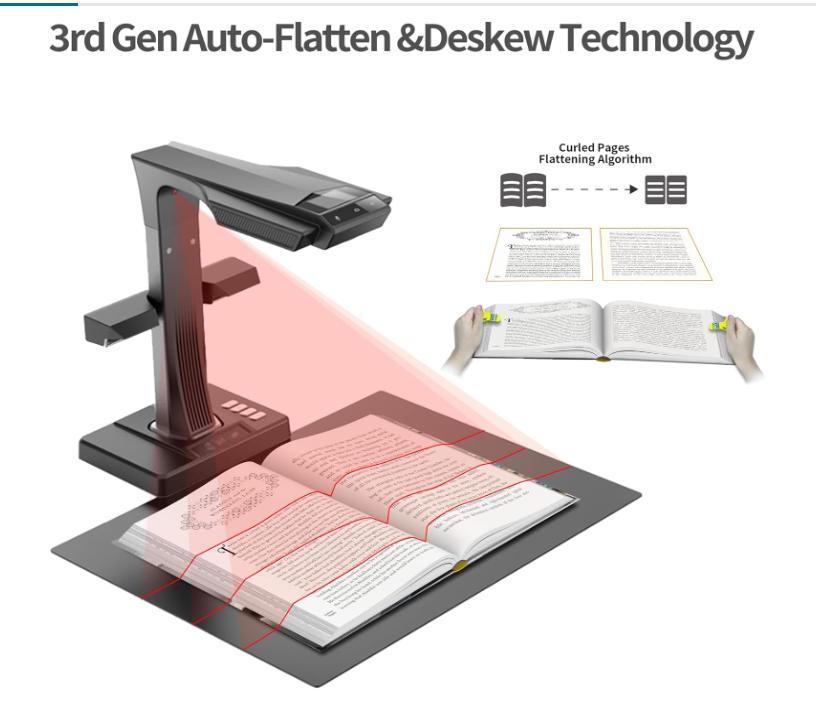
A3 24MP Book Scanner Auto Flatten Deskew CMOS Document Digitizer 4000x6000 USB Visualizer OCR Searchable PDF
Recommended for Kawasaki school libraries and boards of education that need searchable PDFs from bound books, teaching materials and local history records.
- 4000 × 6000 pixel CMOS capture
- Auto-flatten, deskew and OCR workflow
- USB visualizer format for fixed capture stations
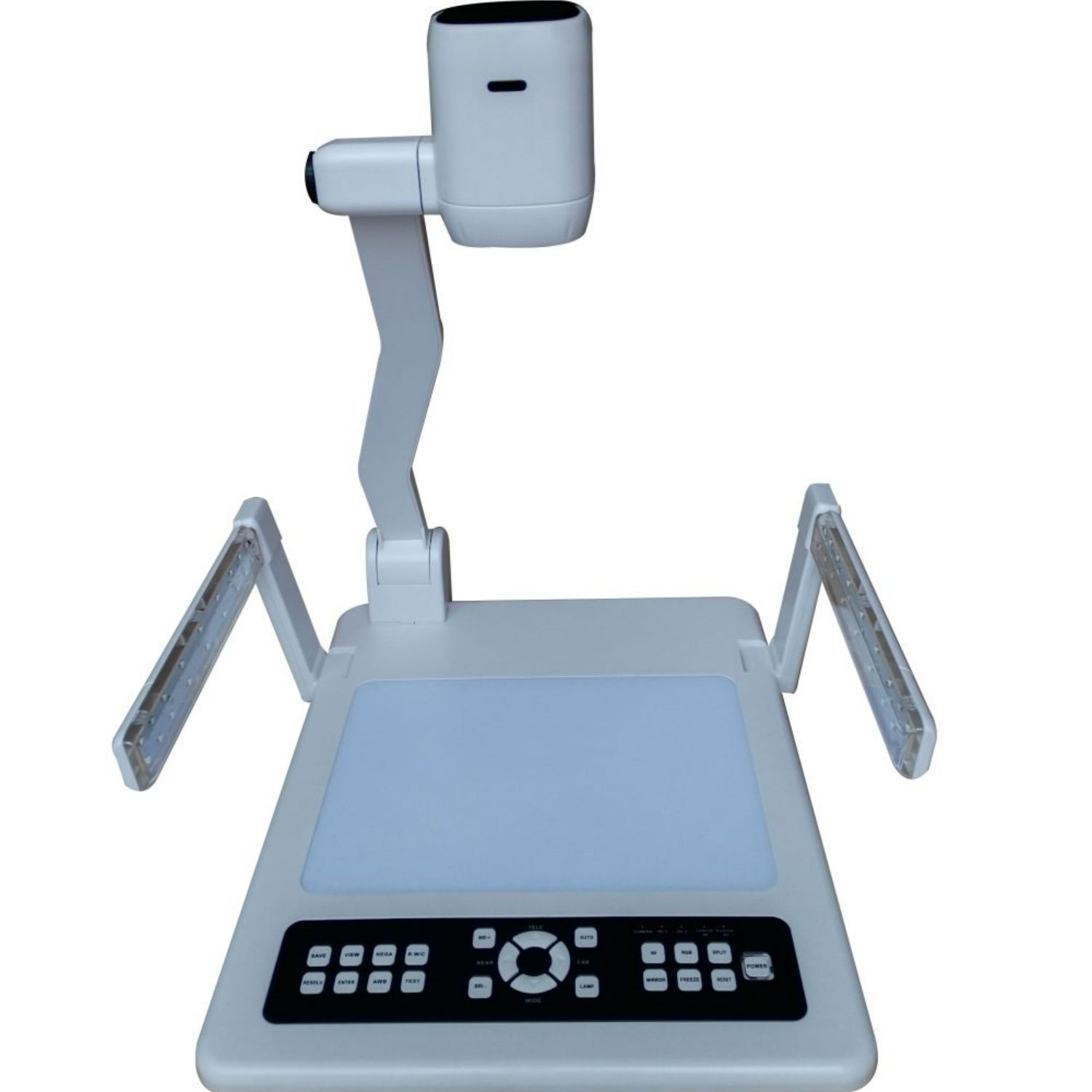
22x Optical Zoom 10x Digital Zoom VGA/USB Interface 2MP CMOS Sensor Resolution A4 Document Camera Foldable Digital Presenter for Classroom Use
Useful where a teacher needs optical zoom for textbook detail, science demonstrations or handwriting without moving the camera between activities.
- 22x optical plus 10x digital zoom
- VGA and USB interfaces for existing classroom displays
- Foldable presenter format for smaller rooms
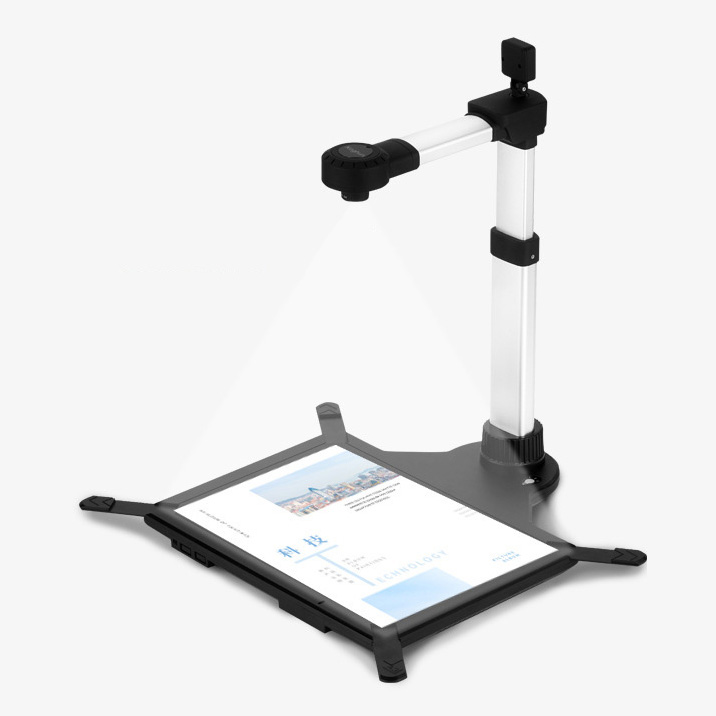
HD Dual Camera 16MP + 2MP Pixels Multifunction Stretchable Smart USB 60 Pages/Min A3/A4 Document Scanner 360 Rotation 180
A high-throughput fit for Kawasaki administrative offices, reception counters and schools that digitize forms, notices and student materials quickly.
- 16MP main plus 2MP secondary camera
- Stretchable arm and rotating capture head
- A3/A4 scanning with 60 pages per minute class throughput
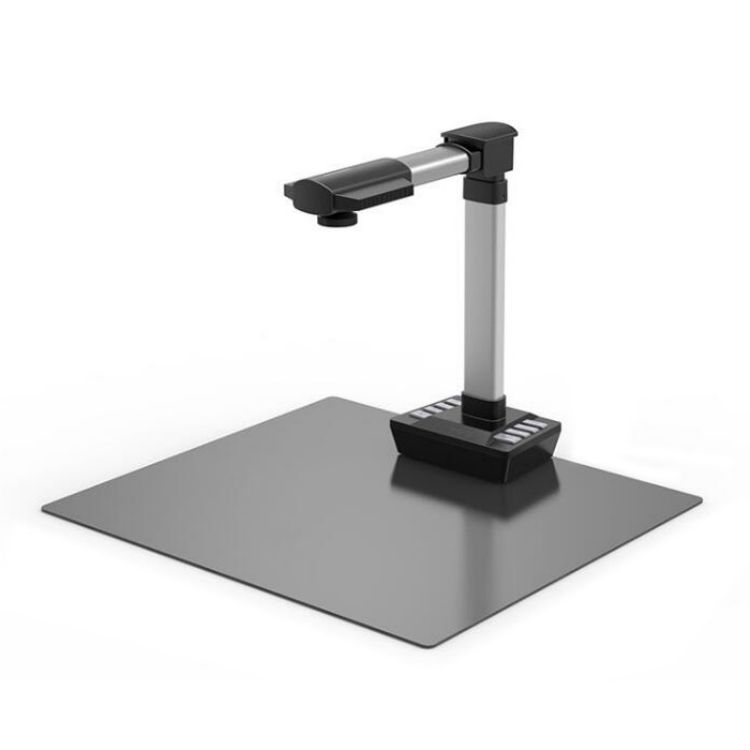
High Resolution Portable A3 Library Book Scanner with Foot Controller USB Interface Automatic Document Scanner Stock Product
Suited to Kawasaki public libraries and reading rooms where staff need hands-free page capture while protecting fragile bindings.
- Foot controller supports hands-free operation
- A3 capture for maps, newspapers and large books
- Portable USB setup for temporary archive rooms
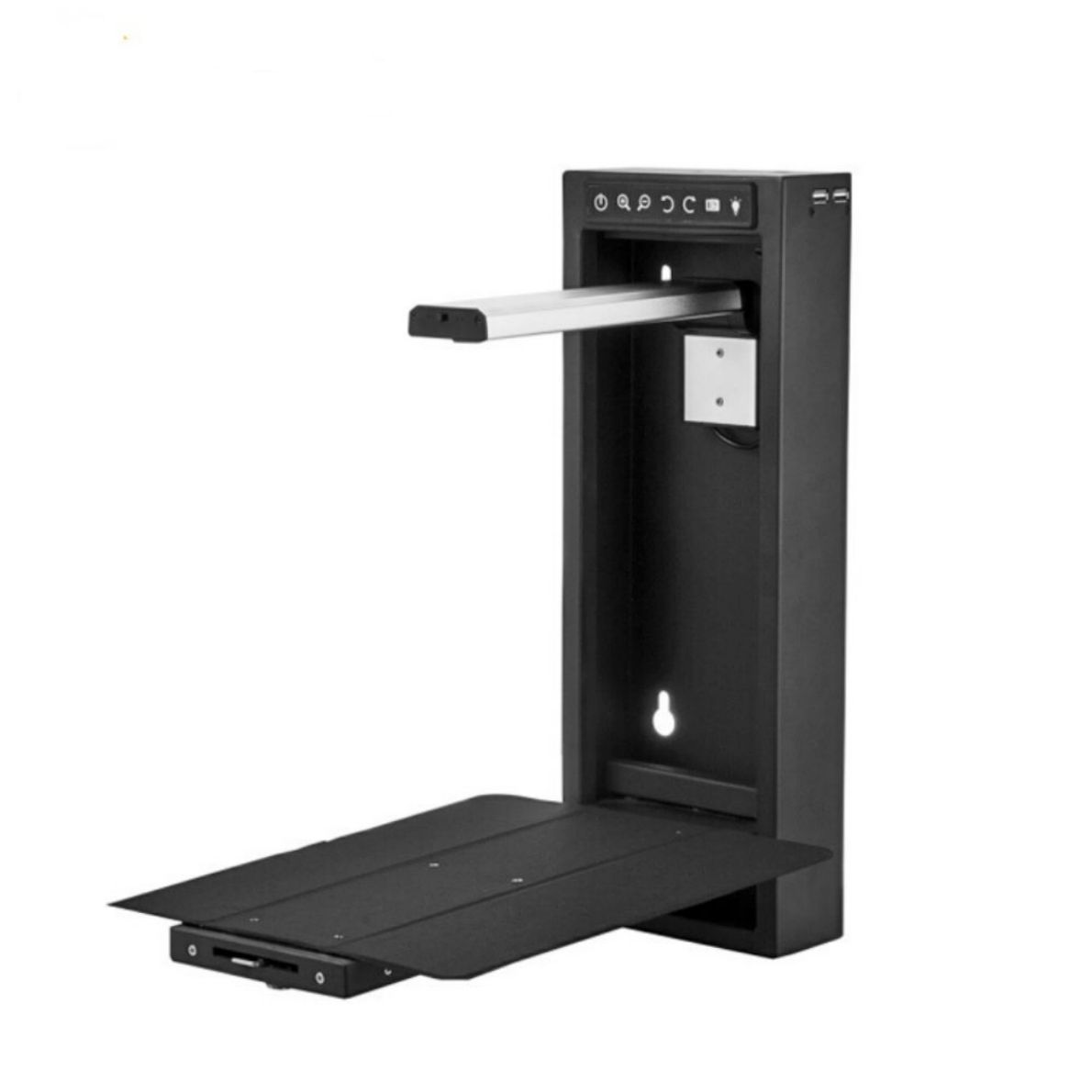
Factory New High Definition Wall Mount Document Scanner USB Interface Visualizer CE Certified 1-Year Warranty High-Speed A4 SDK
A clear match for Kawasaki classrooms that need a fixed overhead view with less desktop clutter and an SDK path for system integration.
- Wall-mounted A4 teaching and document capture
- USB visualizer output with SDK support
- CE-certified configuration and 1-year warranty
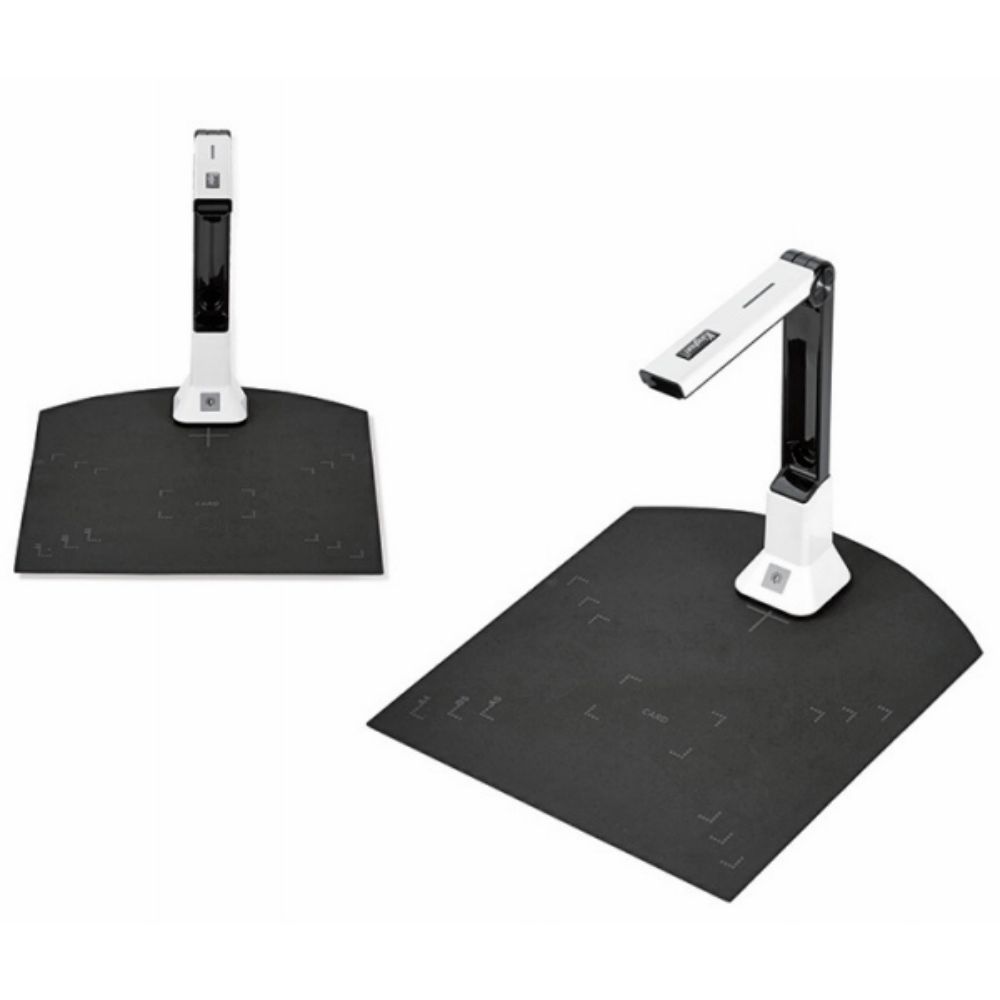
Wholesale 5MP USB Light CMOS A4 Document Scanner Portable Smart Handheld High Resolution 1-Second Scan CE Certified Stock Black
Appropriate for small school offices, temporary exam rooms and mobile administrative stations where quick A4 capture matters more than archival resolution.
- 5MP CMOS A4 capture with integrated light
- Portable USB connection and fast one-second scan class
- CE-certified stock model for pilot deployments
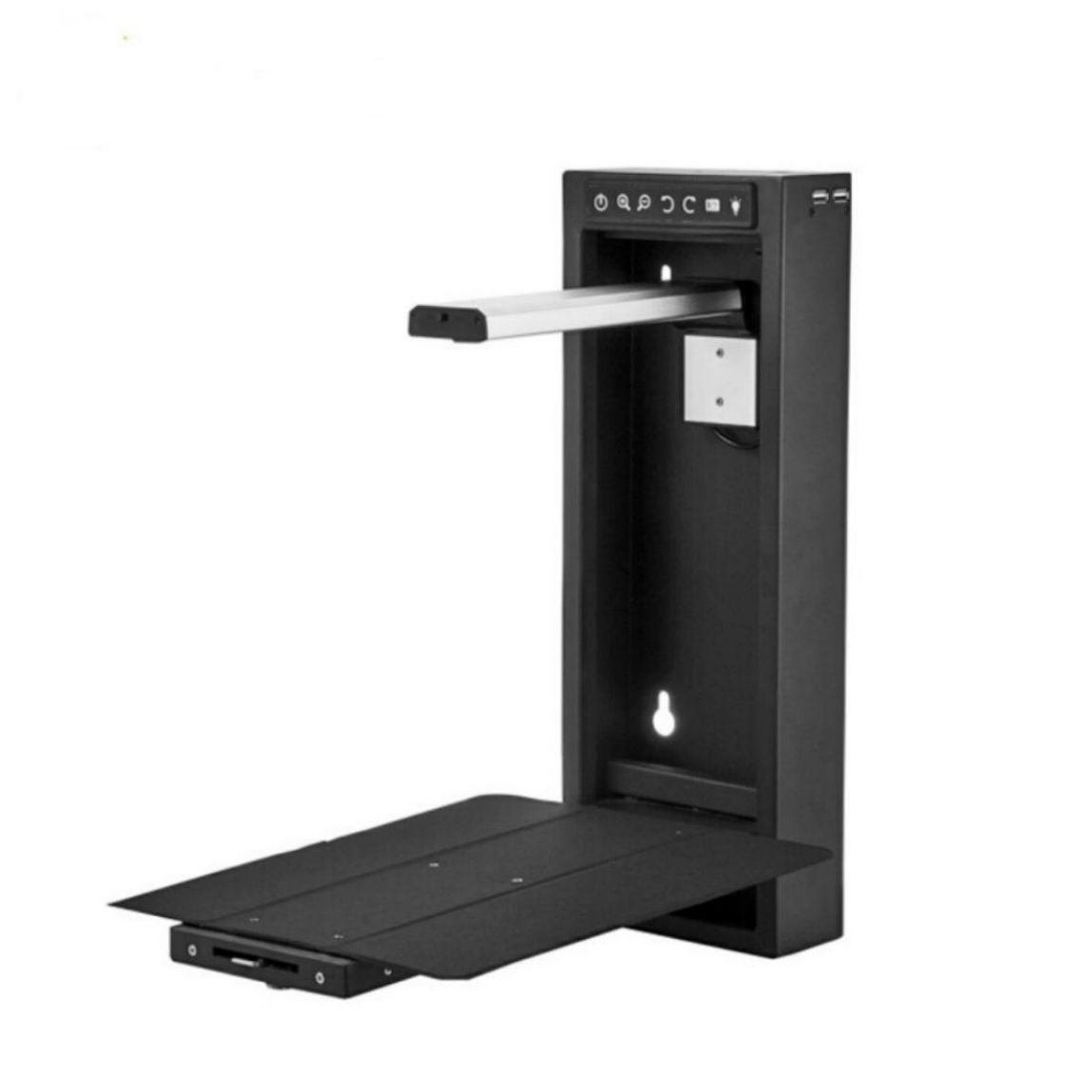
USB Interface Wall-Mounted A4 Visualizer OCR Document Scanner CMOS Sensor 10MP Resolution SDK Included Black 1-Year Stock
Designed for classrooms and meeting rooms in Kawasaki where a permanent A4 camera position is needed for document sharing, OCR and software integration.
- 10MP CMOS A4 wall-mounted visualizer
- OCR and SDK inclusion for custom workflows
- Black housing, stock availability and 1-year support
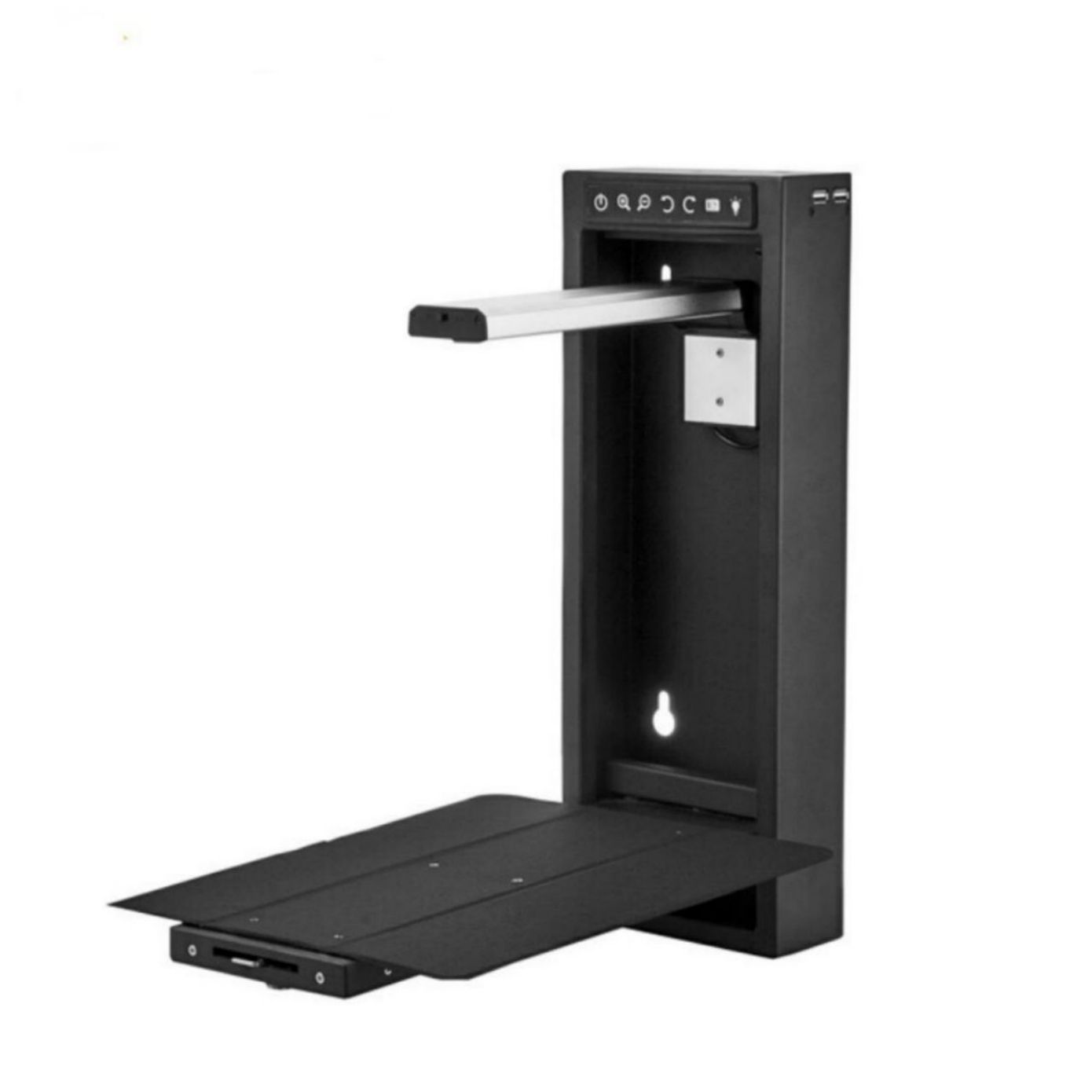
10MP USB CMOS Document Camera Wall Mount Scanner with 1-Second Scan Speed 1-Year Warranty in Stock Classroom Education A4 SDK
An efficient wall-mounted classroom document camera for Kawasaki schools that need fast A4 capture, SDK access and simple USB deployment.
- 10MP classroom-oriented A4 capture
- Fast one-second scan class and USB interface
- SDK, stock availability and 1-year warranty
Why Kawasaki Buyers Ask for Evidence Before Choosing a Supplier
Public-sector and education procurement teams in Kawasaki usually compare more than pixel count. They check response speed, reorder behaviour, stock status, warranty process, SDK availability and whether the supplier can support a small trial before a broader school rollout.
Average first response target for product questions, drawings and sample requests.
Message response rate shown on the company’s B2B supplier profile.
Buyer reorder rate as a platform indicator, useful for checking repeat supply confidence.
Guangzhou Quibow Electronic Co., Ltd. was established and continues to focus on imaging capture equipment.
Where a Wall-Mounted Document Camera Improves Daily Work in Kawasaki
Kawasaki is both a dense urban education market and a major industrial and research corridor between Tokyo and Yokohama. Buyers across Kawasaki-ku, Saiwai-ku, Nakahara-ku, Takatsu-ku, Tama-ku, Miyamae-ku and Asao-ku often need a camera that is permanently available, simple for teachers to operate and compatible with existing projectors, displays and whiteboards.
Elementary & Junior High Classrooms
Wall-mounted A4 document cameras let teachers show textbooks, worksheets, science experiments and handwritten examples without using a trolley. In Kawasaki schools where classrooms are also used for club activities and meetings, fixed installation reduces setup time between lessons.
Libraries & Local History Rooms
Public libraries, university reading rooms and civic archives in Kawasaki often hold local newspapers, maps and bound reference books. An overhead A3 book scanner with auto-flatten and OCR creates searchable files while reducing stress on bindings compared with flatbed pressing.
STEM, STEAM & Science Labs
When a teacher demonstrates small components, circuit boards or model parts, optical zoom matters more than raw resolution. A 22x optical zoom visualizer or 4K-style dual-camera unit can share fine detail on a large display without moving specimens around the room.
School Offices & Reception Counters
Administrative teams can capture forms, certificates, ID documents and paper notices at the counter. A 5MP or 10MP USB document camera is often enough for internal records, while a dual-camera model supports faster A3/A4 intake during enrolment periods.
International Schools & Language Labs
Bilingual schools and language programs need clear live viewing of text, diagrams and pronunciation notes. USB visualizers can feed a local PC for projection, recording or OCR, supporting both in-room teaching and remote lesson capture.
Corporate Training & R&D Review
Kawasaki’s manufacturing, logistics and research companies often need document cameras for training rooms, quality review and supplier meetings. SDK access allows integrators to embed capture into internal inspection, annotation or meeting-room systems.
Kawasaki Classroom Imaging Trends Shaping 2025 Procurement
Local buying behaviour is moving away from “one camera on a trolley” toward permanent, low-maintenance capture points that support hybrid teaching, digital archives and space-efficient classrooms. The strongest suppliers will be those that can explain trade-offs clearly, not simply list maximum resolution.
Fixed wall-mounted capture is replacing shared trolleys
Kawasaki schools that use multipurpose rooms often prefer a wall-mounted document camera because it stays aligned, avoids accidental damage and removes the need to find and connect a trolley between classes. The trade-off is that mounting height, cable routing and capture area must be planned before purchase, especially where ceilings are low or displays are already fixed.
Japanese OCR and local workflows are becoming specification items
Buyers increasingly ask not only for an MP rating but also for Japanese OCR quality, searchable PDF output and local storage. For Kawasaki public-sector projects, privacy and retention rules may discourage cloud-only workflows. USB-connected cameras with on-premises capture software are easier to review with internal IT and school administrators.
TCO, SDK support and small pilot orders matter more than headline zoom
School groups and integrators now compare total cost of ownership: adapter compatibility for 100 V power, spare-part availability, warranty response, installation documentation and whether the SDK can connect to existing learning software. A small pilot in one Kawasaki classroom often determines whether a model is approved for wider rollout.
How Many Megapixels Does a Kawasaki Classroom Actually Need?
Megapixels only make sense when they are linked to paper size and output requirements. A camera that is excellent for A4 teaching may be underspecified for A3 archive masters, while a high-resolution overhead scanner may be unnecessary for ordinary classroom projection.
| Document size | Pixels at 300 dpi | Practical recommendation | Typical application in or near Kawasaki |
|---|---|---|---|
| A4 210 × 297 mm |
2480 × 3508 approx. 8.7 MP |
10 MP or higher for clear projection and OCR; 5 MP is acceptable for fast internal capture. | Classroom visualizer, reception counter, administrative forms and meeting-room document sharing. |
| A3 297 × 420 mm |
3508 × 4961 approx. 17.4 MP |
18 MP to 24 MP gives comfortable margin for teaching, OCR and library material. | School library digitization, newspaper clippings, maps, design drafts and larger textbooks. |
| A2 420 × 594 mm |
4961 × 7016 approx. 34.8 MP |
48 MP class recommended when the brief calls for 300 dpi archive masters. | Archive, local history, broadsheet newspapers and engineering drawings outside the classroom camera range. |
| Live teaching detail small objects, handwriting |
Optical zoom often matters more than MP | Choose 10x to 22x optical zoom and confirm the working distance from wall to desk. | Science demonstrations, art techniques, circuit boards, small components and live annotation. |
Guangzhou Quibow Electronic Co., Ltd. — Imaging Equipment for Kawasaki Projects
Quibow is a technology-driven supplier focused on image data acquisition and conversion. The company develops and supplies document cameras, book scanners, flatbed scanners, A3/A2 overhead scanners and ID-card recognition cameras, covering CIS, CMOS and CCD imaging platforms. For Kawasaki buyers, the value is not simply a product list; it is the ability to match sensor type, mounting format, software workflow and order scale to the final installation.
Supplier profile and verifiable company facts
Guangzhou Quibow Electronic Co., Ltd. is located in Guangzhou, Guangdong, China, and has been established since 2020. The company operates as an onsite-checked trading company with a small specialist team and serves markets including Eastern Europe, North America and South America. Product discussions are supported in English, with export documentation, sample coordination and remote technical support aligned to B2B procurement.
OEM / ODM Support
Logo printing, packaging, housing colour, capture-software branding and SDK integration can be discussed for selected models. This suits Kawasaki integrators that need a supplier-branded or project-branded document camera.
Small Trial Orders
Many stock book scanners, A2 large-format scanners and flatbed scanners start from one piece or one set, while several document camera models start from two pieces. Trial quantities are confirmed per model and project.
Imaging Platform Expertise
CIS is efficient for sheet-fed office batches, CMOS is ideal for one-shot overhead capture of books and live classroom subjects, and CCD supports stable colour and bookedge scanning where depth of field matters.
Export & After-Sales
Payment methods include T/T, L/C, PayPal and Western Union, with FOB, EXW and DDU terms. Listed models may carry a one-year warranty and remote technical support, subject to model confirmation.
A Practical 4-Step Process for Schools, Libraries and Integrators
For a Kawasaki deployment, the fastest path is usually a focused pilot followed by a documented rollout. This reduces the risk of mounting mistakes, adapter incompatibility or software surprises after delivery.
Share the room brief
Provide the paper size, wall-to-desk height, display type, PC operating system, daily volume and whether Japanese OCR or searchable PDF is required.
Confirm power and mounting
Confirm 100 V power arrangements where a mains adapter is used, cable length to the display, wall material and whether the camera must fit an existing bracket or ceiling grid.
Validate with a sample
Request sample images at the intended mounting height. Check A4/A3 framing, handwriting readability, projector sharpness, OCR language support and software installation on a school PC.
Scale the rollout
After pilot approval, confirm packaging, warranty terms, spare accessories, delivery schedule and remote support contacts for the wider Kawasaki school or facility deployment.
Questions Kawasaki Buyers Ask Before Requesting a Quote
These answers are written for procurement staff, school ICT coordinators and local integrators comparing classroom wall-mounted document cameras and book scanners for Kawasaki use.
Are wall-mounted document cameras suitable for Japanese classrooms with 100 V power?
Many document cameras are USB-powered and can work with a school PC or powered USB hub, avoiding a separate high-voltage appliance. If a mains adapter is supplied, the Kawasaki buyer should confirm that the adapter is suitable for Japan’s 100 V supply and Type A plug configuration. For public-sector procurement, ask for the exact adapter specification before shipment and verify any PSE-related requirement with your internal facilities team.
Can the wall-mounted camera capture A3 documents, or is it limited to A4?
Most classroom wall-mounted models in this guide are A4-oriented, which is appropriate for textbooks, worksheets and forms. If the Kawasaki deployment must capture A3 maps, large textbooks or design drawings, choose an A3 overhead book scanner or an A3 visualizer instead. The mounting height and lens field of view must be checked for A3 before ordering, because an A4 camera moved farther away may not deliver enough effective resolution.
Which model is best for a Kawasaki elementary school pilot?
For a first pilot, a 10MP A4 wall-mounted USB document camera is often the simplest starting point if the main goal is showing textbooks and handwritten work. If teachers also need optical zoom for science demonstrations, consider a 22x optical zoom visualizer. If the pilot involves library books, newspapers or local history material, start with the A3 24MP auto-flatten book scanner instead of a classroom camera.
Can you provide Japanese OCR and searchable PDF output?
Japanese OCR language support and searchable PDF output can be discussed according to the model and software version. For Kawasaki public-sector workflows, confirm whether capture and OCR run locally on the school PC or require a network service, because privacy and records-retention rules may affect approval. A sample scan of a typical Japanese textbook page or form is the best way to validate recognition quality.
What is the minimum order for a Kawasaki school or library trial?
Many stock book scanners, A2 large-format scanners and flatbed scanners start from one piece or one set. Several document camera models start from two pieces. OEM/ODM quantities are confirmed per project. For a Kawasaki trial, specify one room, one mounting height and one software workflow so the sample evaluation reflects the real installation rather than a generic bench test.
How do you handle delivery and support to Kawasaki?
Quibow is based in Guangzhou and serves overseas B2B buyers through export shipment and remote technical support. A Kawasaki buyer can arrange delivery to a school, warehouse or local integrator, with shipping terms such as FOB, EXW or DDU discussed at quotation. Quibow does not claim a local Kawasaki branch; installation coordination is normally handled by the buyer’s appointed local partner, with remote support from the supplier.
Do the cameras support SDK integration with existing classroom software?
SDK access is available on selected models, including certain wall-mounted USB visualizers and document cameras. A Kawasaki integrator should confirm the operating system, development environment, video format and desired features such as snapshot, zoom control or OCR triggering before choosing a model. Not every low-cost stock camera includes an SDK, so SDK availability must be written into the quotation.
What warranty, spare parts and after-sales terms should be confirmed before ordering?
Several listed models carry a one-year warranty, backed by remote technical support, but warranty terms should be confirmed for the exact model and order quantity. Before ordering, document the responsible contact, response channel, diagnostic process for focus or connection problems, and whether spare adapters, cables or remote controls can be supplied with the initial shipment. This is especially important for a Kawasaki multi-school rollout.
Planning a Classroom Rollout or Digitization Project in Kawasaki?
Send the room height, document size, daily capture volume, PC environment and target resolution. We will recommend a suitable wall-mounted document camera, overhead book scanner or USB visualizer, then confirm MOQ, sample images, delivery terms and warranty details for your Kawasaki project.